
Buiiild features
Treatment records Your salon's memory, client by client.
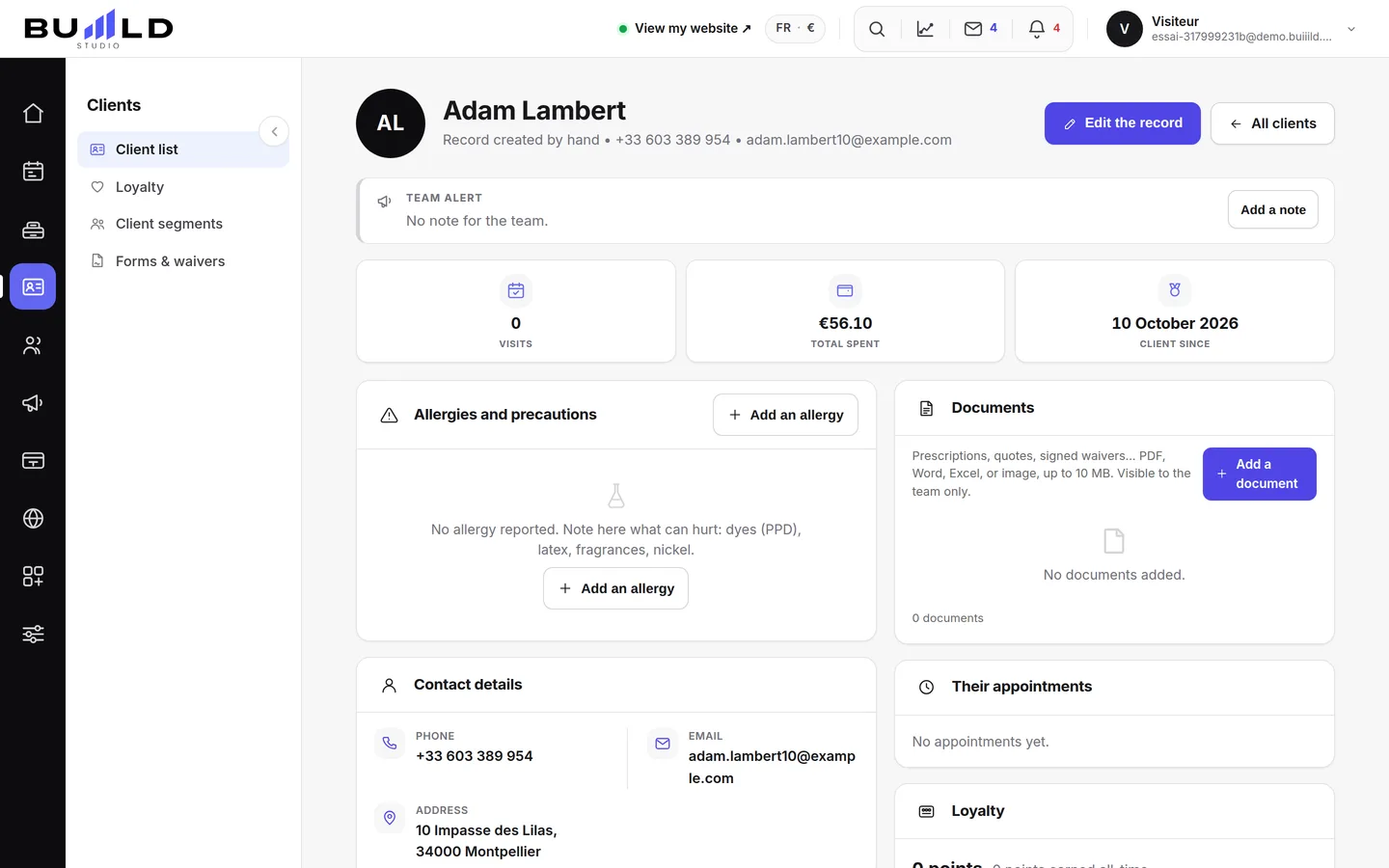
Contact details, last visit, treatment record, preferences, allergies, private notes, a team alert: everything to know before welcoming a client fits on one page. Consent forms and questionnaires are signed online before the appointment, and the proof is kept in a register.
On video · 2 min 55 s
The client record
The salon's memory: contact details, indicators, absences, technical record, last session, preferences, private notes, allergies, team alert, GDPR.
Step by step
Every screen, explained
The help centre guides that cover this feature in detail, with screenshots.
 Forms and waivers to signColour waiver, parental authorisation, allergy questionnaire: the client signs online before their appointment, and you keep the proof in a register.Read the guide
 Creating a client record by handFor a walk-in client or someone noted in a book: the first name used at the salon, the phone number used for reminders, the tags, the formula and consent for promotions.Read the guide
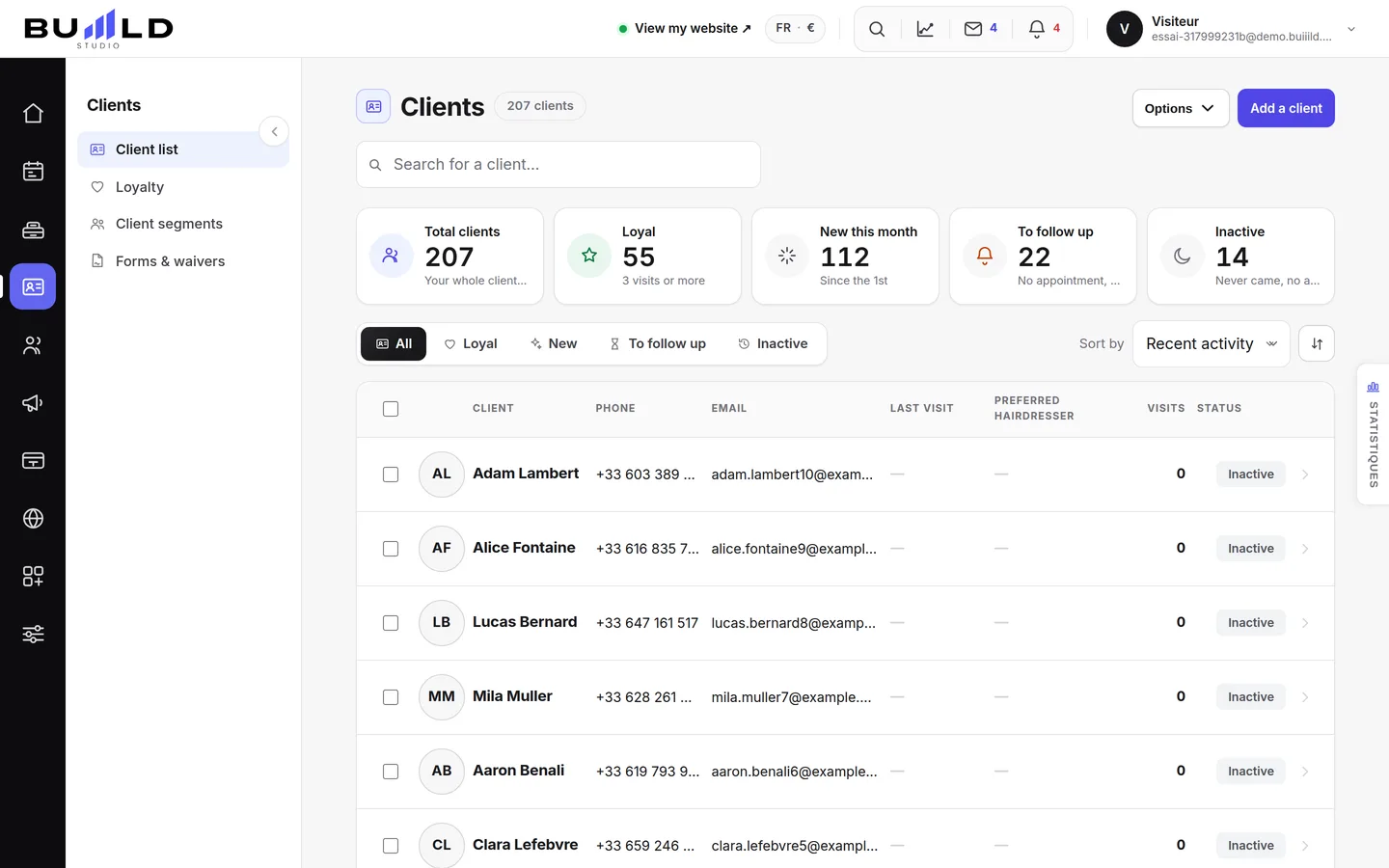 The client fileEveryone who books has their own record, created on its own. Finding a client, reading their status, filtering, sorting, exporting.Read the guide
Frequently asked questions
What's the difference between the technical record and the session?
The technical record describes the client (usual length, allergies, clipper guard). The session describes one specific appointment (the formula applied that day). One is stable, the other changes with every visit.
How do I merge two records?
From the record to keep, the merge action offers you the duplicate record: both histories are combined, no appointment is lost.
The client wants a copy of their data
The record's print button gives a readable version of everything the salon keeps on them.
The client has no email address, how do I get a form signed?
With no email, the request is still created: pass on the link to them by hand from the register.
The client has no phone number, can I still create their record?
Yes, but with no number they won't receive any reminder or follow-up SMS: add it as soon as you have it.
Two records for the same person
This happens after an import or a booking with a different email. Open one of the two records: the merge is done from the record, and both histories are kept.
Make room for what is next
Your next chapter bears your salon’s name.
Create your website. Discover your Studio. You have 30 days to decide for yourself.
Create my salon