Creating a client record by hand
For a walk-in client or someone noted in a book: the first name used at the salon, the phone number used for reminders, the tags, the formula and consent for promotions.
Most records create themselves, with the first appointment. The New client button in the client file is for the other cases: a walk-in client, someone noted in a book, a record to prepare before their visit.

Everything you note here comes back at every appointment: at the desk, in reminders, in the history. A well-filled record means a welcome that never has to ask the same thing twice.
What really matters
- The first name you use at the salon. This is the name shown in the calendar and that opens their reminder messages. Write it as you call them at the chair, not as on their ID card.
- The phone number. Without a number, no reminder or follow-up SMS: a forgotten appointment is an empty slot in your day. It's also the number used to spot a duplicate.

The phone: without it, no reminder SMS. - Tags. "VIP", "Colour", "Wedding": each tag creates a group in your client groups, ready to receive a message. Keep the same word across the whole salon, or you'll end up with two groups for one idea.

Tags become client groups. - The formula. The mix, the processing times, the guard used: note here what the client won't be able to tell you again. The colleague who takes over in July will find your exact colour.
- Their consent for promotions. Tick only if they said yes. Without this consent they still receive their appointment reminders, but no campaigns: it's the law, and it's also what protects your reputation.
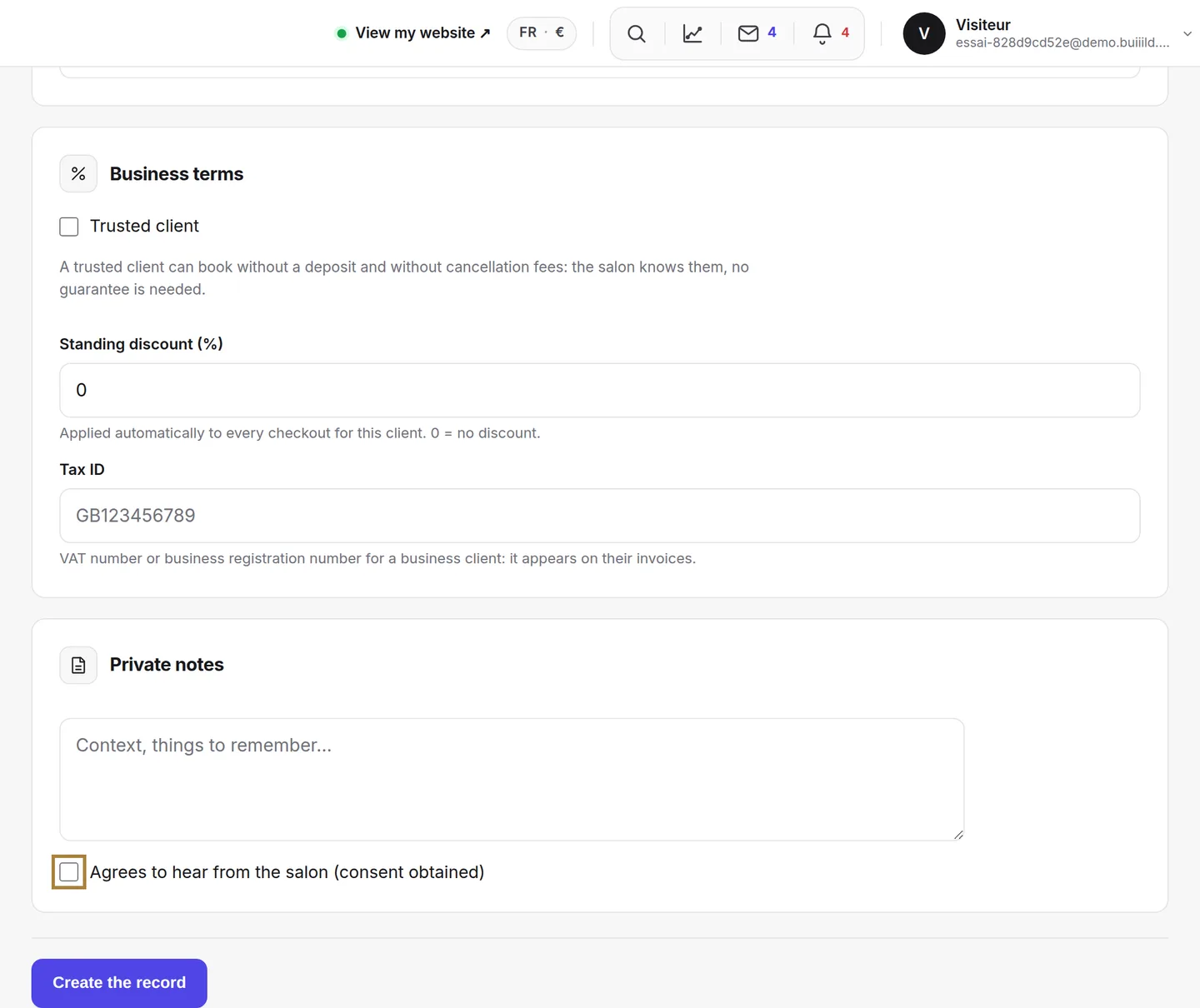
Consent for promotions: tick only if the client said yes.
Frequently asked questions
The client has no phone number, can I still create their record?
Yes, but with no number they won't receive any reminder or follow-up SMS: add it as soon as you have it.
What happens if I don't tick consent for promotions?
Nothing changes for their appointments: they still receive their reminders. They simply won't receive any campaign until they've said yes.
One colleague writes "Colour", another "colour" — does it matter?
Yes, a little: two different spellings create two client groups for one idea. Agree on the same word across the whole salon.
Which first name should I write if the one used at the chair differs from their ID?
The one you use at the salon: it's the one shown in the calendar and that opens the reminder messages.
Go further
Everyone who books has their own record, created on its own. Finding a client, reading their status, filtering, sorting, exporting.
Clients and loyaltyThe client recordThe salon's memory: contact details, indicators, absences, technical record, last session, preferences, private notes, allergies, team alert, GDPR.
Clients and loyaltyClient groupsNew, loyal, lost touch, big spenders: groups that recalculate on their own, your tags that make more, and the search by booking.
Need a hand?
Write to us from your studio, under “Help & support”: we answer quickly, with real people.