The client record
The salon's memory: contact details, indicators, absences, technical record, last session, preferences, private notes, allergies, team alert, GDPR.
In this article
The client record is the salon's memory: everything you need to know before you pick up the scissors. It opens with one click on a line in the client file, or from an appointment's record.

The header

The client's identity, their direct contact details and the record's origin: created by a booking, imported, or entered by hand. The Edit button opens everything the page shows for editing: contact details, technical record, preferences, notes.
What jumps out
- Allergies, before anything else. An allergy marked "danger" — PPD in hair colour, for example — shows in a red banner right at the top, with its detail: "patch test on 12/03, negative".
- The team alert: one sentence for everyone — "always late", "prefers silence". It's changed in one click, without opening the record.
- Absences: a banner counts missed appointments. In red: the client didn't warn you — worth remembering before booking them a long slot.
- The next appointment, with a direct shortcut to that day in the calendar.
The indicators

Visits, total spent, average basket, time between visits, absences… The tiles adapt: they only appear when there's something to say.
The record's cards
| Card | What it holds |
|---|---|
| Contact details | Phone, email, address, birthday, preferred contact channel and regular stylist. |
| Session shown | What was done that day: the formula applied, the processing time, the result, the before/after photos. Click the date of a kept appointment, on the right, and this block shows that session. |
| Technical record | What doesn't change from one visit to the next: usual length, cut type, clipper guard, allergies. |
| Preferences | Style wanted, length, styling habits… down to their favourite drink. |
| Private notes | Visible only to the team, never to the client. Below it: their consent to salon communications. |

Their appointments

All their appointments, upcoming and past, from most recent to oldest, with their status and price. Click a date to reopen that day in the calendar. Sorting offers most recent, oldest, by status — requests to confirm then rise to the top — or putting sessions with notes first.
Blocking online booking
A client who misses three appointments can lose online booking without losing the salon: here, you block the site, not the calendar. You can always book them in at the desk; they just can't book on their own. The reason stays between you.
Quick actions
Book a new appointment, send a message or print the record — without leaving the page.
Privacy (GDPR)
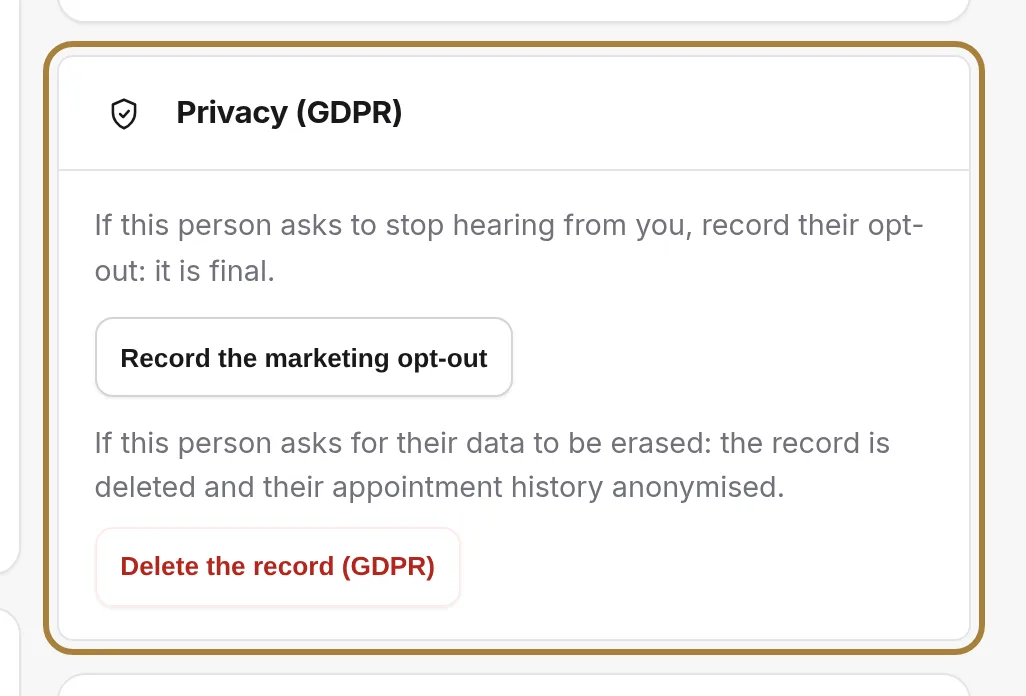
If the client asks: record their marketing opt-out (they keep their appointment reminders, but no longer receive any campaign), or delete their record. Two final actions, reserved for a client's own request.
Frequently asked questions
What's the difference between the technical record and the session?
The technical record describes the client (usual length, allergies, clipper guard). The session describes one specific appointment (the formula applied that day). One is stable, the other changes with every visit.
How do I merge two records?
From the record to keep, the merge action offers you the duplicate record: both histories are combined, no appointment is lost.
The client wants a copy of their data
The record's print button gives a readable version of everything the salon keeps on them.
Go further
Everyone who books has their own record, created on its own. Finding a client, reading their status, filtering, sorting, exporting.
Calendar and appointmentsManaging an appointment: confirm, mark kept, move, cancelThe appointment record, the seven statuses, drag and drop, the session notes and what the client receives when you move it.
Clients and loyaltyClient groupsNew, loyal, lost touch, big spenders: groups that recalculate on their own, your tags that make more, and the search by booking.
Need a hand?
Write to us from your studio, under “Help & support”: we answer quickly, with real people.