Client groups
New, loyal, lost touch, big spenders: groups that recalculate on their own, your tags that make more, and the search by booking.
In this article
New, loyal, lost touch, big spenders… Each group recalculates when the screen opens, based on your appointments: there's no list to keep by hand.
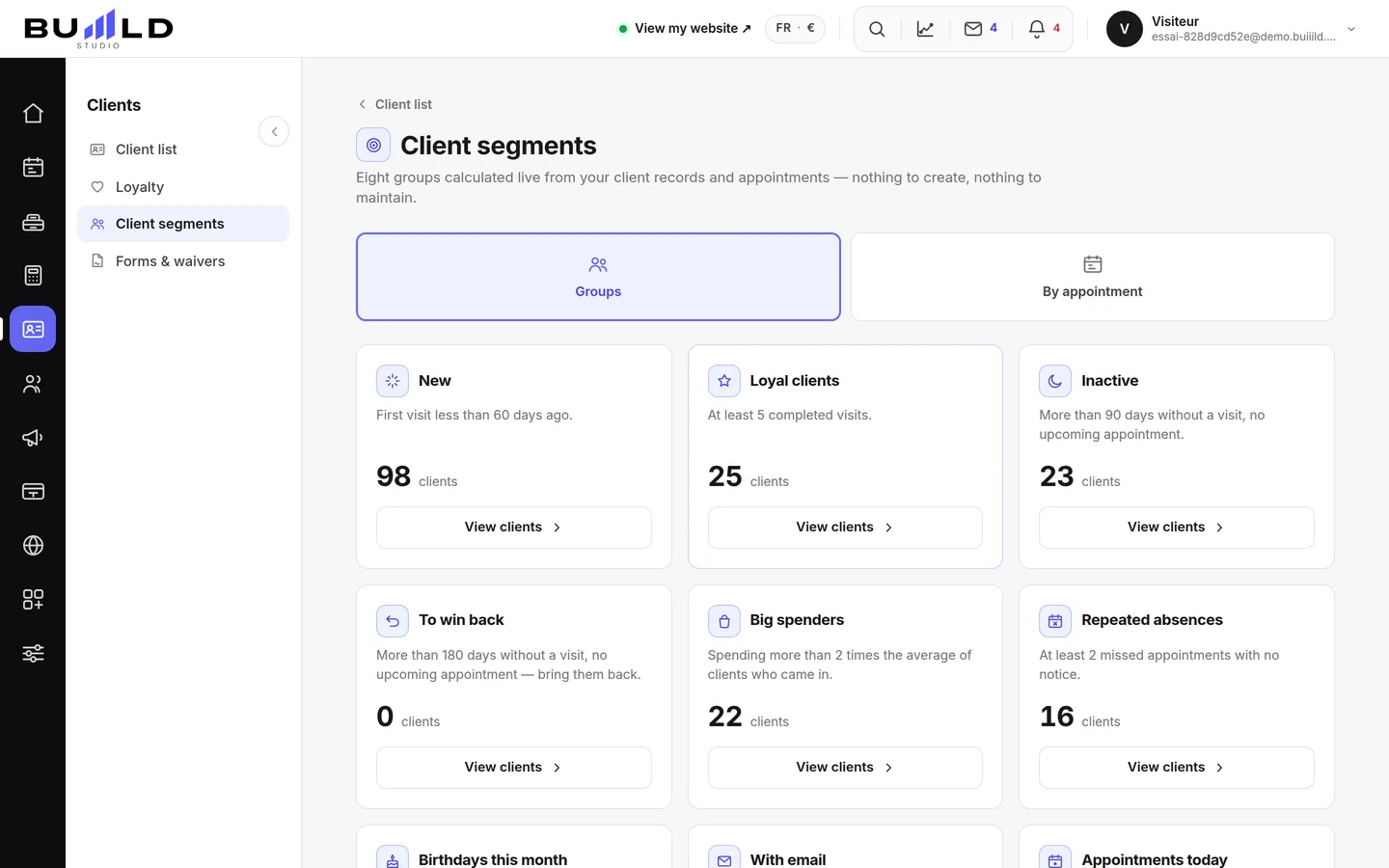
Each group states its rule

The sentence under the title is the exact definition used for the calculation. So you always know why a client is in this group, and why another isn't. Today's count moves on its own with your appointments: a drop among the loyal or a rise among the lost-touch shows up here well before it shows up at the till.
Open, tick, write
- On the card of the group you're interested in, open View clients: the list shows with contact details.
- Tick who to write to, or Select all.
- Launch Send a campaign to selection to compose your message.
Clients who've opted out of prospecting are excluded automatically when sending: they never receive the message, even if ticked.
Your tags become groups

The tags placed on records — "Wedding", "Beard", "VIP" — each form a group here: your vocabulary, not ours.
Search by booking

Who came in June for a colour? Who missed their appointment last week? This search starts from appointments, not records: a period, a service, a team member, a status. A criterion left blank filters nothing — start broad, then narrow down.
The status changes everything: Kept gives you your good clients; Absent those who didn't come, to call back another way; Cancelled those to offer a new date. The list is shown with contact details and the matching number of appointments, ready to receive a message. The export matches exactly the list shown.
Frequently asked questions
Can I put together a list of clients by hand?
Not directly within a calculated group: instead, place a tag on their records ("Wedding", "VIP"…), it immediately becomes a group you'll find here.
The count shown hasn't moved since yesterday, is that normal?
Yes: the calculation redoes itself every time the screen opens, based on your appointments. Just reopen the page for an up-to-date count.
What's the difference with the search by booking?
Groups start from the client record (loyal, inactive, big spender…); the search by booking starts from the appointments themselves — useful for finding, for example, every client who came in June for a colour.
Is a client who's opted out of prospecting counted in the group?
They may appear in the list, but they're automatically excluded when a message is sent: they'll never receive it.
Go further
Everyone who books has their own record, created on its own. Finding a client, reading their status, filtering, sorting, exporting.
Clients and loyaltyCreating a client record by handFor a walk-in client or someone noted in a book: the first name used at the salon, the phone number used for reminders, the tags, the formula and consent for promotions.
Messaging and SMSSending an SMS to a client or a listAn offer, a freed-up slot, a word to one specific person: you write it, the message goes out in the salon's name. Recipients, preview, cost, confirmation.
Need a hand?
Write to us from your studio, under “Help & support”: we answer quickly, with real people.