
Buiiild features
Stock management Your retail shelf, always up to date.
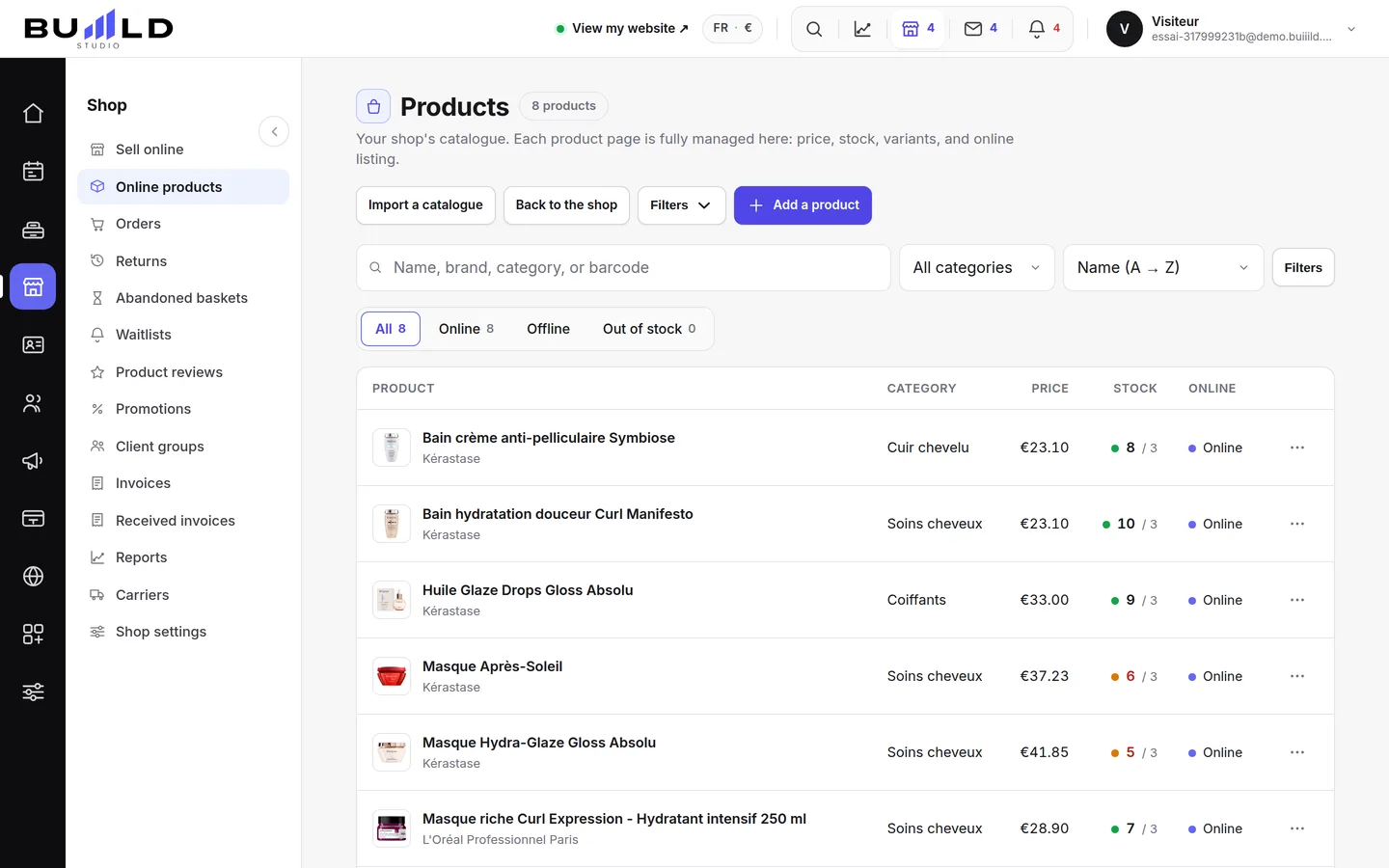
A sale at the till lowers stock automatically, a delivery raises it. You see what your shelf is worth, what's promised to an order and what's left to sell; products below their threshold fill a purchase order sent to your supplier, and stocktakes can be done in several passes.
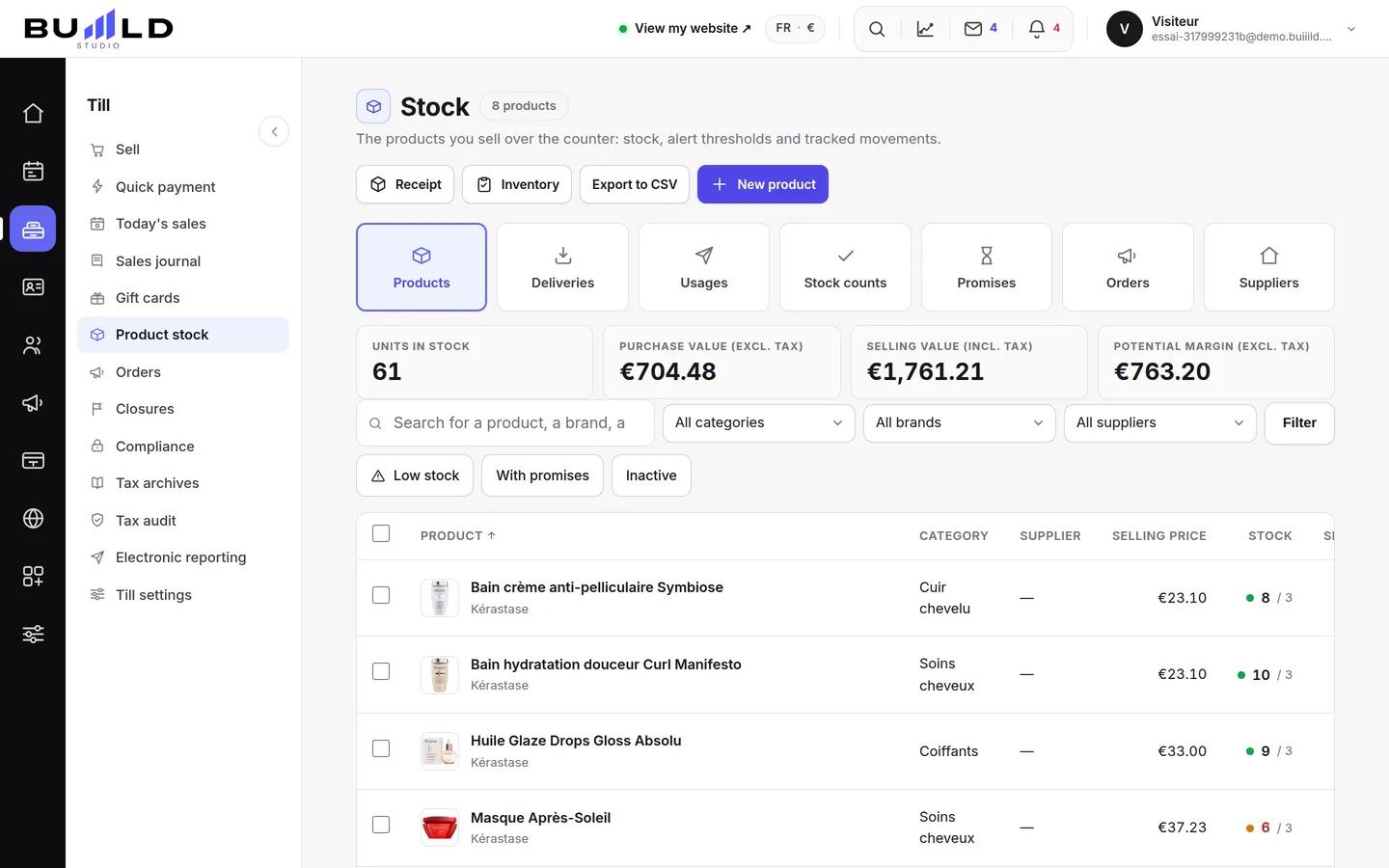
On video · 2 min 26 s
The salon's stock
What your shelf is worth, finding a product, reading on-hand / promised / sellable, and the day's actions: receiving, counting, exporting, new product.
Step by step
Every screen, explained
The help centre guides that cover this feature in detail, with screenshots.
 Adding a productThe name you'll read at the counter, the sale and purchase prices, the alert threshold, the quantity on the shelf and the supplier to reorder from.Read the guide
 Recording a deliveryThe wholesaler's box is on the counter: enter it and stock goes up. Purchase price excluding or including tax as on the invoice, the reason for the entry, the receiving log.Read the guide
 Supplier orders and suppliersPreparing a purchase order, filling it in one go with products below their threshold, sending it by email to the supplier, then receiving it: stock comes in with no double entry.Read the guide
 Doing a countA count is no longer a single-pass entry: a sheet you open, fill in over several passes, and validate once the shelf is done.Read the guide
Frequently asked questions
Can I change a quantity directly on the product page?
No, the quantity only changes through a tracked movement: a delivery, a stock exit or a count. That's what keeps an explanation behind every change.
What is the "promised" quantity?
These are products already reserved by a paid online order, before pickup. They're physically on the shelf but no longer for sale: see Reserved products.
How do I find a specific product on a large shelf?
Type a name or a reference, or narrow the list to a category, a brand or a supplier. The filters stack.
How do I choose the alert threshold?
Set it to what you sell during your supplier's delivery time. That's what keeps you from running out while the order is on its way.
Should I enter the price excluding or including tax?
As it's printed on the paper in front of you: switch the toggle to excluding or including tax to match the invoice. You're copying it, not converting it.
Does a supplier with no email cause a problem?
It works fine on a product's page, but you won't be able to send them an order from the studio: they need an address to receive your purchase orders.
Make room for what is next
Your next chapter bears your salon’s name.
Create your website. Discover your Studio. You have 30 days to decide for yourself.
Create my salon