
Buiiild features
Client reviews Your reputation, in your hands.
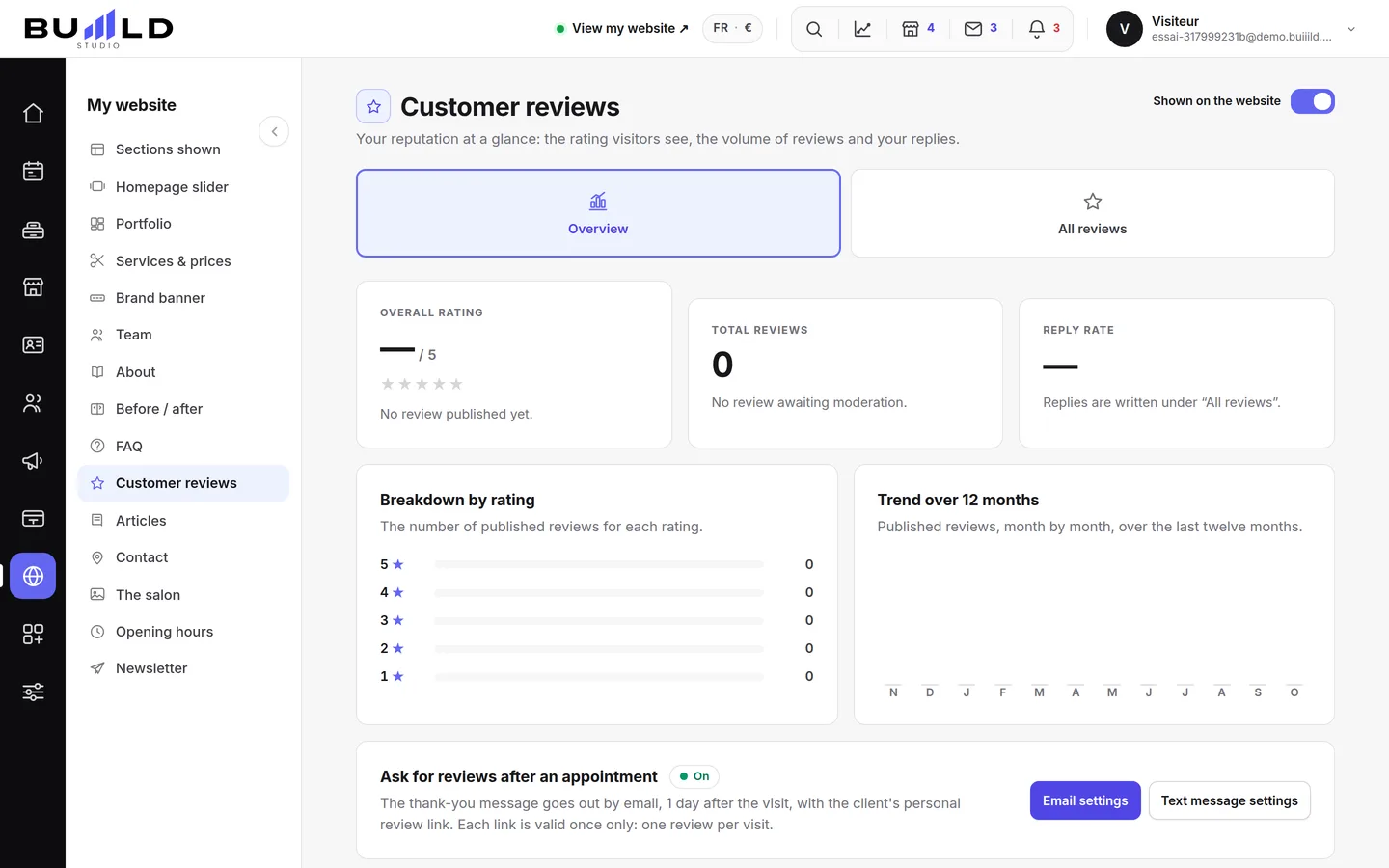
After every visit, the review request goes out on its own. You see the average rating and twelve months of reviews, you moderate and reply, and published reviews appear on your website; a guided path also helps you collect reviews on your Google profile.
On video · 1 min 58 s
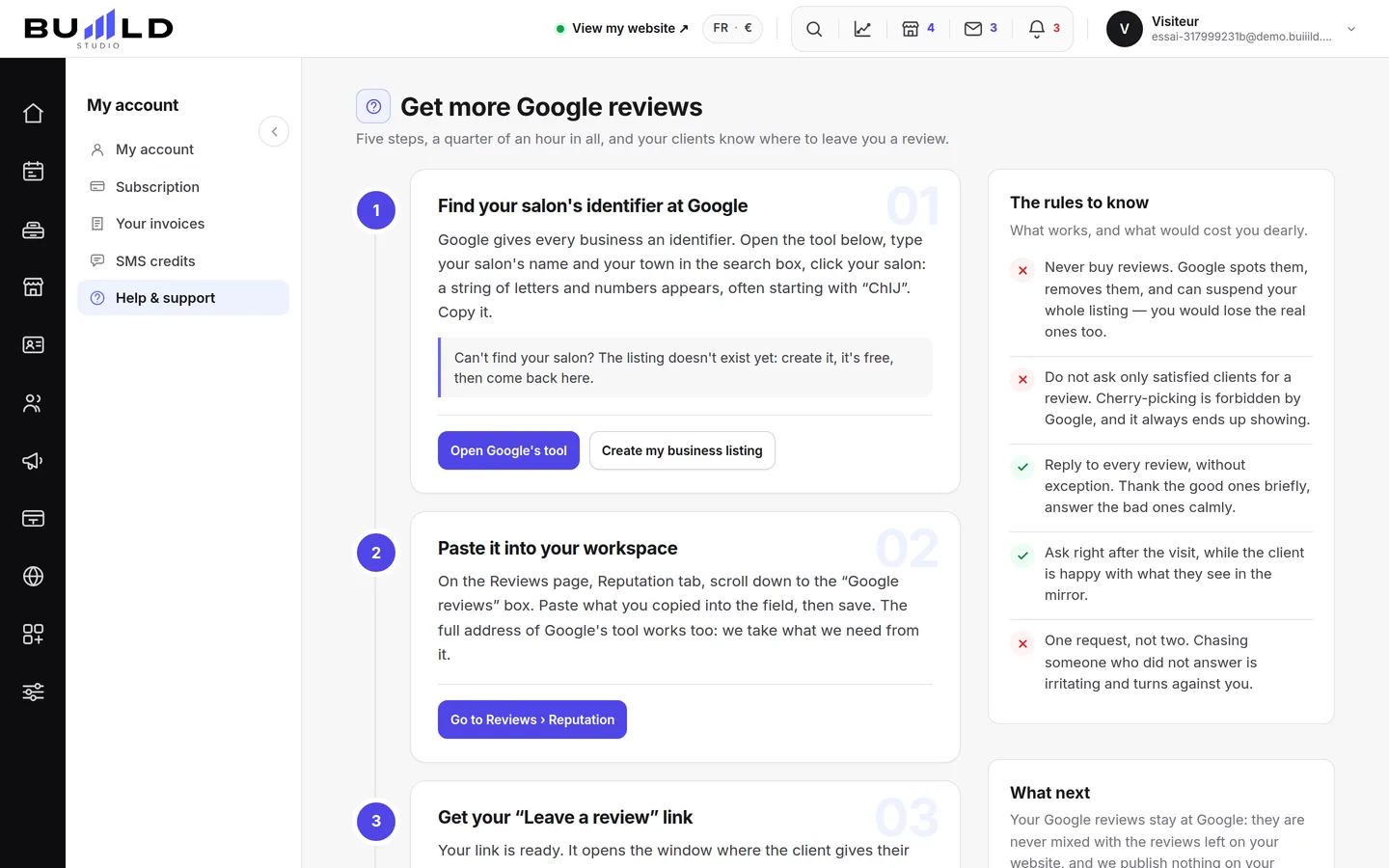
Collecting Google reviews
From finding your Google listing to the request sent automatically after every appointment: five steps, a collection link, and the rules not to cross.
Step by step
Every screen, explained
The help centre guides that cover this feature in detail, with screenshots.
Frequently asked questions
Where should I start?
With your Google listing's ID: without it, the following steps have nothing to work with. Paste it into the Google Reviews tab of the Reviews screen.
Can I offer a discount for a review?
No. It's forbidden: Google removes reviews obtained this way and can penalise your listing. You can ask every client, but never pay for the request.
Where do I use the collection link?
Slip it into your post-visit message or thank-you: it opens the review window of your Google listing directly, with no need for the client to search for you.
How do I reply to a review received?
In the second tab, on the review in question, click Reply: your message shows under the review, visible to everyone.
Do Google reviews mix with those on my site?
No. They stay on Google and only show up in the Reviews screen, never mixed with your site's reviews.
Make room for what is next
Your next chapter bears your salon’s name.
Create your website. Discover your Studio. You have 30 days to decide for yourself.
Create my salon