Booking settings: slots, delays, deposit, cancellation
The slot interval, the buffer, the notice period, the horizon, automatic switching to kept, the deposit, the cancellation policy and notifying of moves.
In this article
Everything that governs how your clients book: slots, delays, deposit, cancellation. Nothing applies until you click Save — you can explore without risk.

The slots

- The interval breaks up the times offered: 15 minutes gives 9:00, 9:15, 9:30…; 30 minutes gives 9:00, 9:30.
- The buffer adds cleaning or preparation time between two appointments. It applies to every appointment, online and at the salon alike.
- Past hours: by default, the studio form only offers upcoming hours. Tick Past hours to record a walk-in client afterwards, at their actual time. Online booking is never affected.
The delays
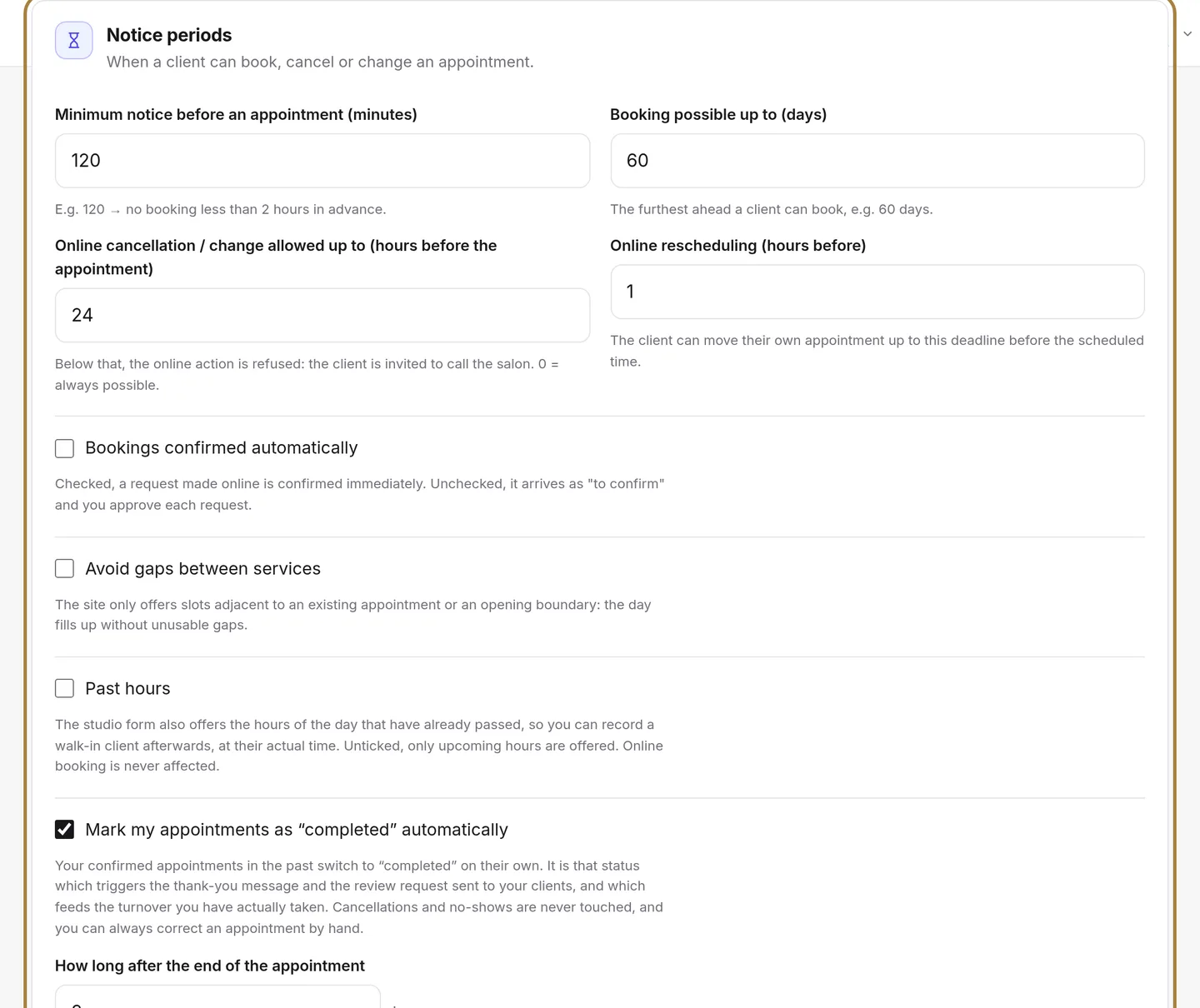
- Minimum notice before an appointment: below this, the slot is no longer offered online (for example 2 hours, so you're never caught off guard).
- Booking horizon: how many days ahead your clients can book.
- Online cancellation or change delay: below this, the client is invited to call the salon. It's applied automatically.
Switching to "kept"

Your confirmed, past appointments switch to Kept on their own, two hours after they end. It's this status that triggers the thank-you message and the review request, and feeds your realised revenue — without it, nothing goes out. Cancellations and absences are never affected. Set it to 0 if you'd rather tick it yourself in the calendar.
The deposit

One single setting for every service:
| Setting | Choices |
|---|---|
| Amount | As a percentage of the appointment, or a fixed sum. |
| Threshold | No deposit below this appointment amount. |
| Targeting | All clients, or only new ones and those who've already missed an appointment. |
| Refund | The rule applied in case of cancellation. |
The deposit is paid online at the time of booking, through the salon's payment account: see Taking a deposit online. A service can also carry its own deposit, on its own record.
The cancellation policy
A free complementary text, shown to the client when booking. The delays from the Delays card are applied automatically: no need to repeat them here.
Notifying of a move

When you move an appointment in the calendar, nothing goes out right away: you have a few minutes to change your mind, and your client only receives one message, the one with the final time. You choose this delay here — or turn off the automatic send if you prefer to call.
Your client's calendar
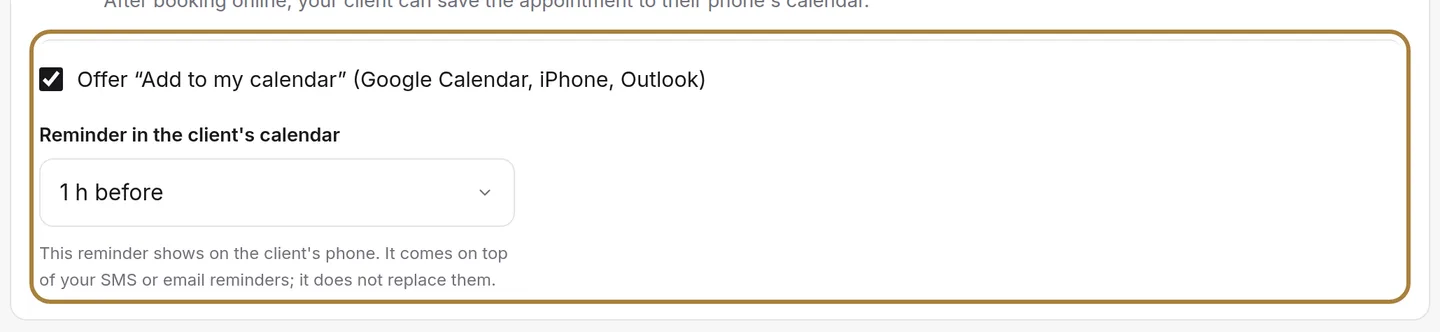
After booking online, your client sees two buttons: Google Calendar and iPhone, Outlook, others. In one tap, the appointment goes into their phone's calendar, with your address, your phone number and a reminder. The same link sits at the bottom of the confirmation email. It is on by default: you only choose the reminder — none, 30 minutes, 1 hour, 2 hours or the day before — or switch the option off.
This reminder shows on the client's phone. It comes on top of your SMS or email reminders; it does not replace them.
Frequently asked questions
Which interval should I choose?
The most common is 15 minutes: fine enough to fit in a men's cut, wide enough to stay readable. A 30-minute interval suits a salon where every service lasts at least half an hour.
Does the deposit apply to appointments booked at the salon?
No: the deposit is requested at the time of online booking. At the salon, you take whatever payment you like at the till.
Can I require manual confirmation of every online request?
Yes, in Online booking settings: requests then arrive as "To confirm" in the calendar.
Go further
Service, stylist, day, slot, client: the form only offers truly free slots, and creates the client record if needed.
Calendar and appointmentsManaging an appointment: confirm, mark kept, move, cancelThe appointment record, the seven statuses, drag and drop, the session notes and what the client receives when you move it.
Online bookingTurning on online bookingWhat happens when a client taps "Book an appointment" on your site: your calendar, your phone, another service, or nothing. You can change it whenever you like.
Need a hand?
Write to us from your studio, under “Help & support”: we answer quickly, with real people.