The waiting list: notify as soon as a spot opens up
Your clients who want to be notified if a slot frees up: sign-up from the site or by phone, automatic alert on cancellation, results.
In this article
A day is fully booked, a client would still like to come: add them to the waiting list. As soon as an appointment is cancelled, those the slot could suit receive an SMS and an email — automatically, with nothing for you to do.
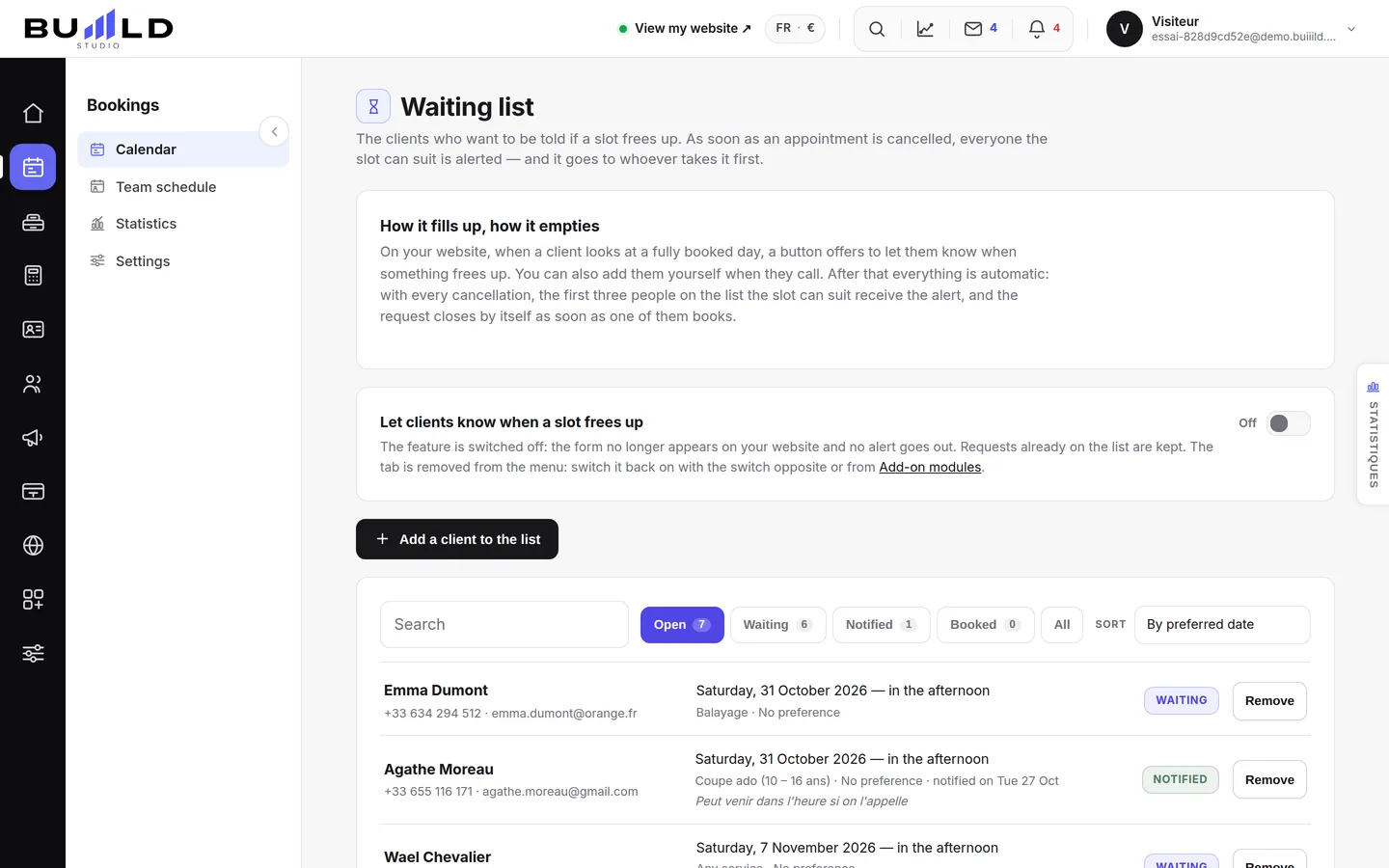
Turning on, turning off, choosing the channel

The switch turns the feature off: the form disappears from your site and no more alerts go out — your current requests are kept. Below, you choose how to notify: both channels, SMS only, or email only if you want to spare your SMS credits.
Where requests come from
- From your site: when a day is fully booked, your clients can sign themselves up from online booking.
- By phone: a client calls, you have nothing to offer them — note it here in three seconds. The name and the day are enough, the rest is optional.

Search, filter, sort

The search covers name, phone, email and service. The filters carry their counter — click Notified to see only those. Sorting arranges by desired date, by most recent request, or by name.
The status of each request

| Status | What happened |
|---|---|
| Waiting | No one has offered them anything yet. |
| Notified | A spot has been flagged to them; the ball is in their court. |
| Has booked | They took the slot. |
| Past | The desired date has passed with no spot. |
All of this changes by itself. We also notify several people for the same spot: otherwise, it only takes one who doesn't reply for the gap to stay empty. When the person books their appointment, their request closes itself — we recognise them by their phone or email. Remove is only for the case we can't guess: the client who found a slot elsewhere.
What the waiting list brings you
The tab on the right edge opens the results: how many requests ended up as an appointment — the figure that shows what the feature earns you —, how many notified people responded, your most requested days and your most awaited services.
Frequently asked questions
The notified client didn't respond, what do I do?
Nothing: other people were notified for the same spot. If the spot stays free, it becomes bookable online again like any other slot.
Do the SMS alerts use up my credits?
Yes, like any SMS sent by the salon. Switch to "email only" if you want to preserve them.
Go further
Service, stylist, day, slot, client: the form only offers truly free slots, and creates the client record if needed.
Calendar and appointmentsManaging an appointment: confirm, mark kept, move, cancelThe appointment record, the seven statuses, drag and drop, the session notes and what the client receives when you move it.
Online bookingTurning on online bookingWhat happens when a client taps "Book an appointment" on your site: your calendar, your phone, another service, or nothing. You can change it whenever you like.
Need a hand?
Write to us from your studio, under “Help & support”: we answer quickly, with real people.