The team's schedule: hours and time off
Who works when: each stylist's hours, up to two slots a day, and their time off. The calendar and online booking adapt on their own.
In this article
This is where you set who works when: each stylist's hours and their time off. The calendar hatches the hours not worked, and online booking offers nothing outside them.

One card per stylist
Each stylist has their own card: their hours on the left, their time off on the right. To add or remove a stylist, that happens in My site › Team (see Adding a team member).
Follows the salon's hours

Ticked, the stylist works during the salon's opening hours — nothing else to set. Untick it to give them their own schedule, day by day.
The custom schedule

Day by day: working or not, and up to two slots (morning and afternoon). Outside these slots, the calendar hatches and online booking offers nothing.
Time off
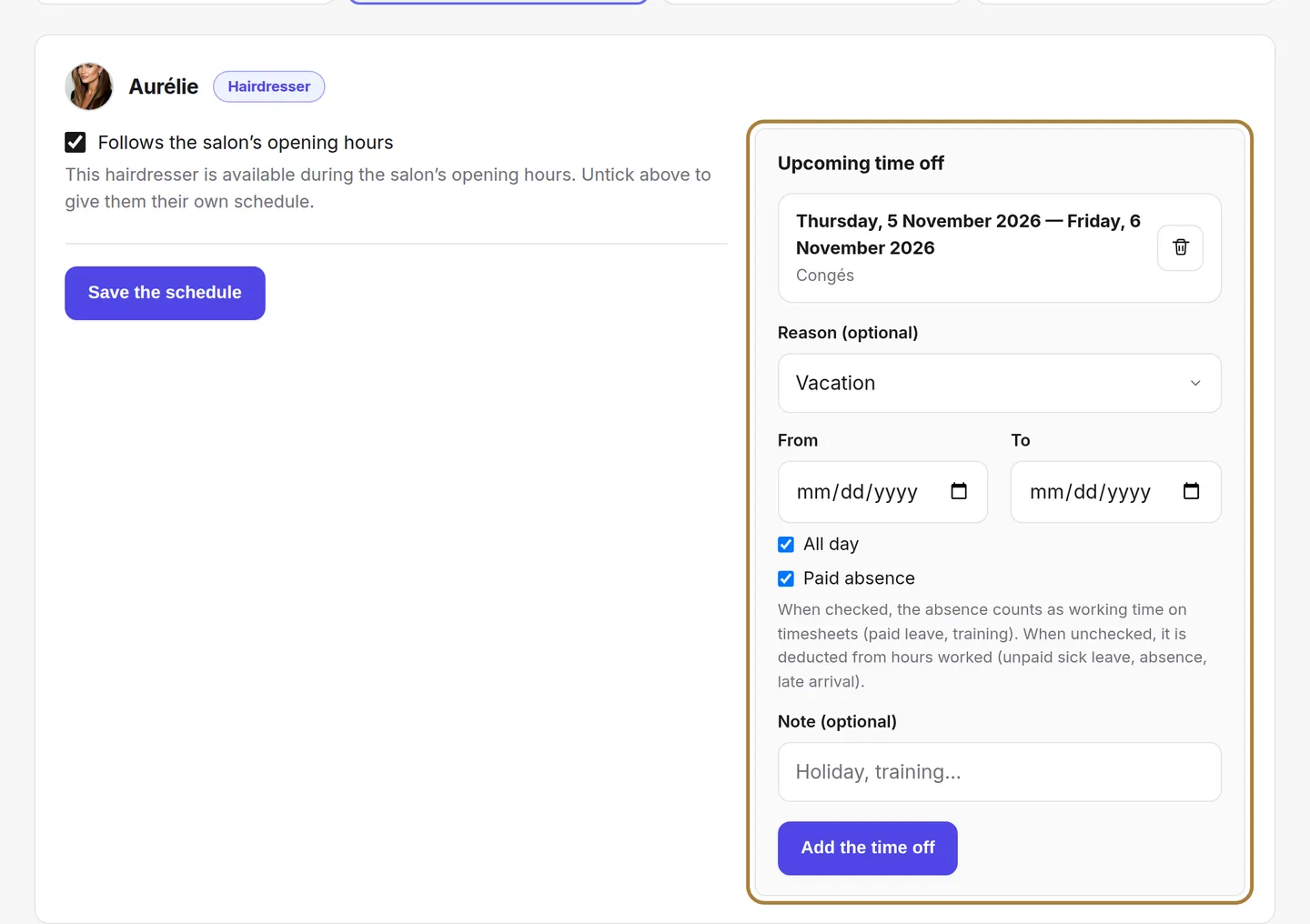
Holidays, rest days, training… Upcoming time off is listed on the right; the bin removes time off entered by mistake. To request some, choose the dates and a reason: the affected slots are immediately blocked from booking, and the calendar marks the stylist absent.
Frequently asked questions
A stylist only works on Saturdays
Untick "Follows the salon's hours", then only tick Saturday with its slots. On the other days, their column will be hatched and nothing will be offered online.
How do I close the salon for a public holiday?
Not here: exceptional closures for the whole salon are set in My site › Hours. The schedule only concerns people.
What about appointments already booked during time off?
They stay in the calendar: it's up to you to move them or notify clients. The time off only blocks new bookings.
Go further
The Day, 3-day, Week, Month and List views, the day's figures, the filters, the card colours and the occupancy tab.
Calendar and appointmentsBooking settings: slots, delays, deposit, cancellationThe slot interval, the buffer, the notice period, the horizon, automatic switching to kept, the deposit, the cancellation policy and notifying of moves.
Calendar and appointmentsReading the occupancy rateAre my chairs full? The occupancy rate today and over the week, by stylist, by day, and the trend over eight weeks.
Need a hand?
Write to us from your studio, under “Help & support”: we answer quickly, with real people.