Closings: days, months, and the chain of Zs
One or more till "Z" readings a day depending on your sessions, closings that chain themselves on their own, month after year, and the perpetual grand total.
In this article
On top of days, you archive the month in one click — or, under the new compliance regime, you let the till do it on its own.

Closing the month

The button only shows if the month has sales, hasn't already been closed, and your salon hasn't yet moved to the new compliance regime: that regime then chains closings on its own — day, month, year and fiscal year — as soon as each one ends, with no click needed.
Several "Zs" a day
A single day can carry several session closings: open up, take sales, close the till at midday, reopen it in the afternoon — each session gets its own "Z", all attached to the same day.
The history of your "Zs"
Each line is a locked period. Click it to open the figures in detail, then print it on plain A4: it's the document to hand over in an audit, or to attach to your accounts. A Demo tag marks closings recorded before your first real sales: they carry no fiscal value.
The chain of closings
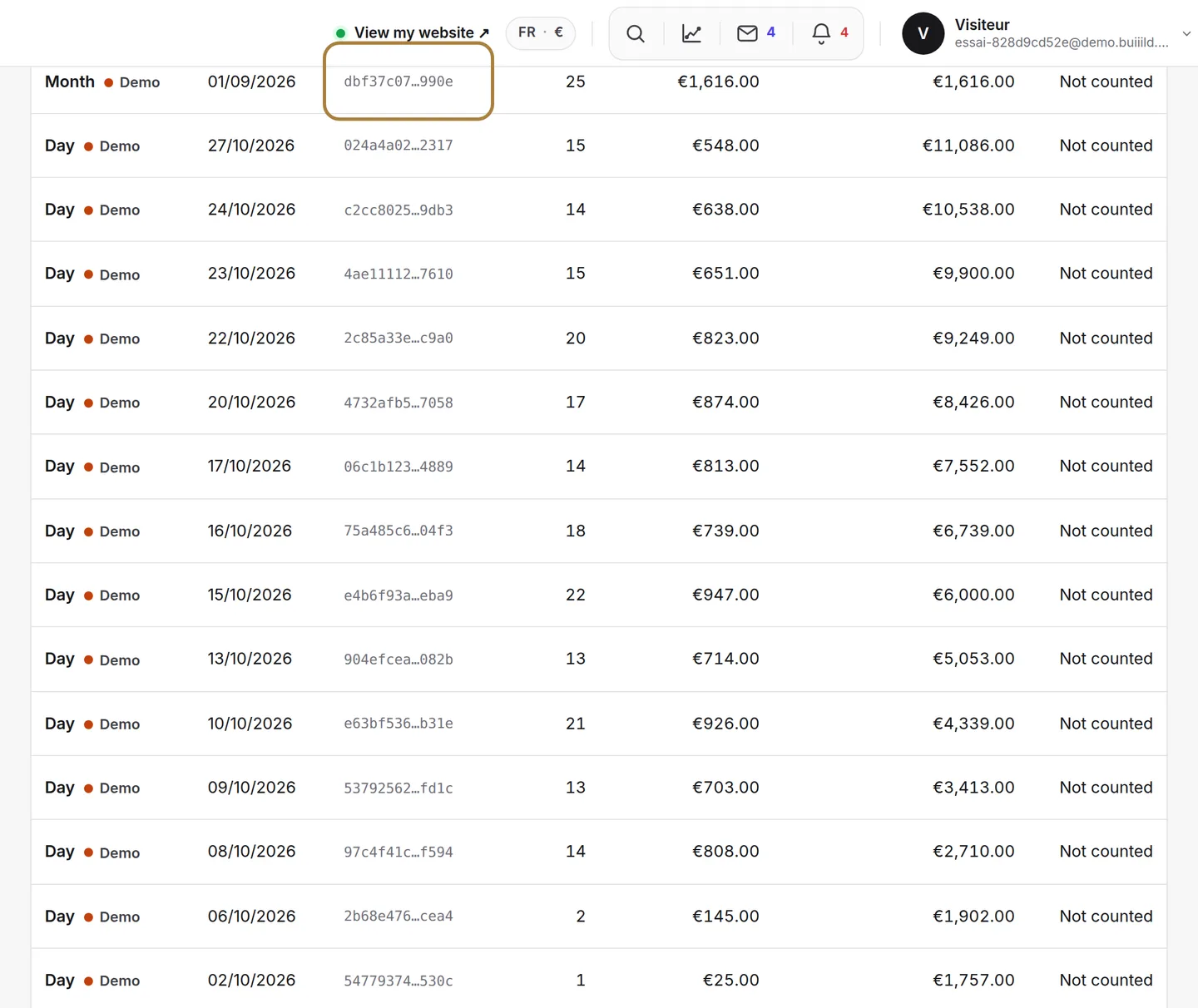
Closings are numbered with no gap and chained to each other by their fingerprint. A missing number would show up immediately: that's exactly what the law requires your software to guarantee.
What a closing contains
Total including tax, total excluding tax, VAT broken down by rate, tips, payment methods, and the perpetual grand total — the running total of everything your till has taken since it opened. This total never goes down: that's what makes a deleted sale impossible to hide.
Frequently asked questions
Can I redo a closing that's already been done?
No, a closing is never redone. That's exactly what makes your figures binding: a locked period stays locked.
Why does my day carry several "Zs"?
Because the till went through several sessions that day: each opening and closing of the till gets its own closing, all attached to the same day.
What is the perpetual grand total?
It's the running total of everything your till has taken since it opened. It never goes down, even after a credit note: that's what makes a deleted sale impossible to hide.
What document should I give my accountant?
A printed monthly closing is enough in most cases. For a specific period, download the full archive from Tax archives.
Go further
Taken, receipts, credit notes, tips; sold on one side, taken on the other; then the closing that locks the day and chains it to the previous one.
Till and paymentsMonthly tax archivesEvery finished month produces its own archive on its own: sales, closings and events for the period, with a fingerprint you can check in one click.
Till and paymentsTill compliance and the certificateUnalterability, security, retention, archiving: what the till guarantees, the extended integrity check you can rerun, the archive of a period, the FEC file and the certificate to print.
Need a hand?
Write to us from your studio, under “Help & support”: we answer quickly, with real people.