Today's sales and closing the day
Taken, receipts, credit notes, tips; sold on one side, taken on the other; then the closing that locks the day and chains it to the previous one.
In this article
The "Today's sales" page is your end of day: what's been sold, what's landed in the drawer, and the button that closes the day.
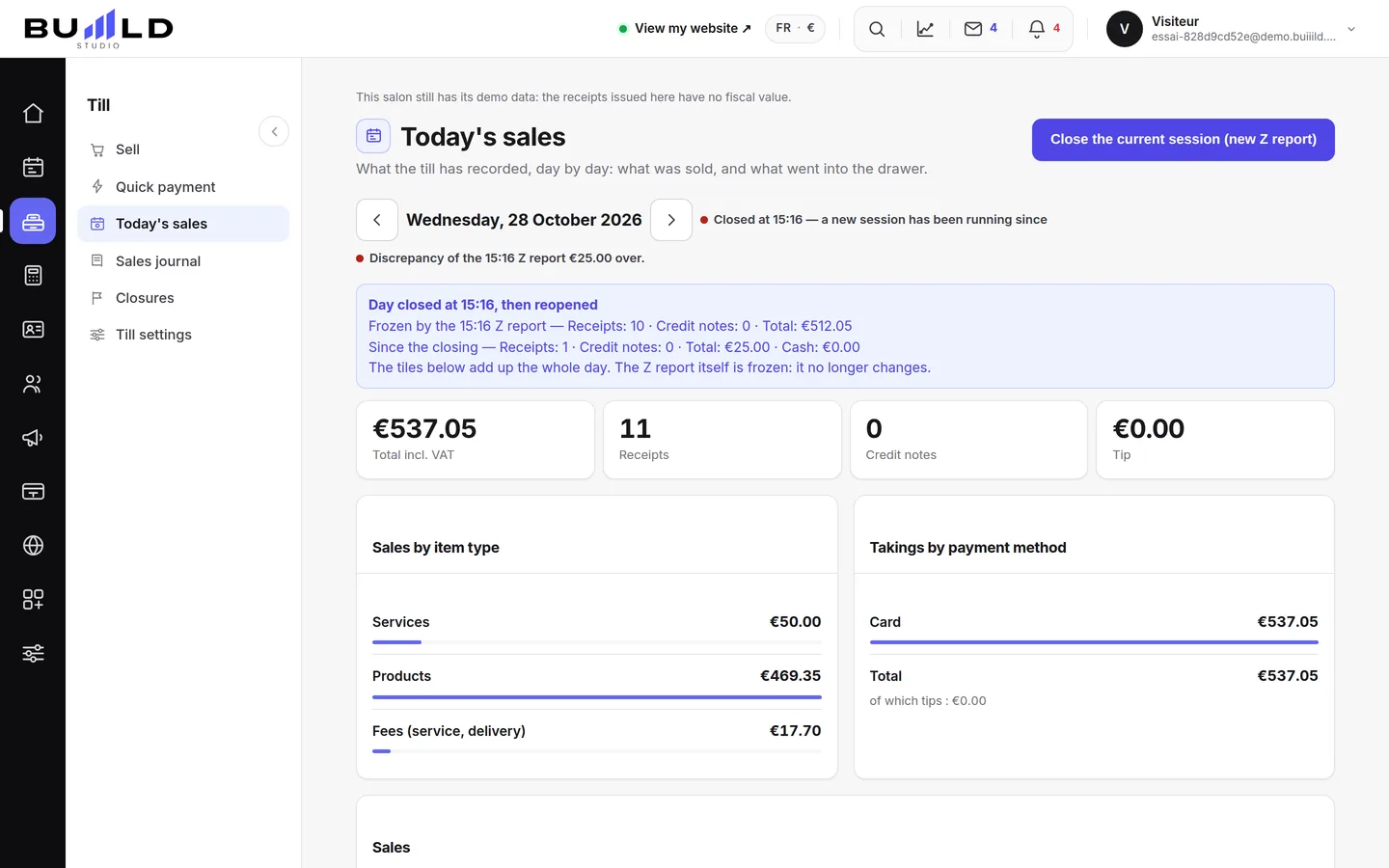
The salon's day
The arrows scroll through the days, and the day is bounded by your local time: a 9pm sale stays in the evening you made it. A banner flags past days still waiting for their closing.
The day's four figures
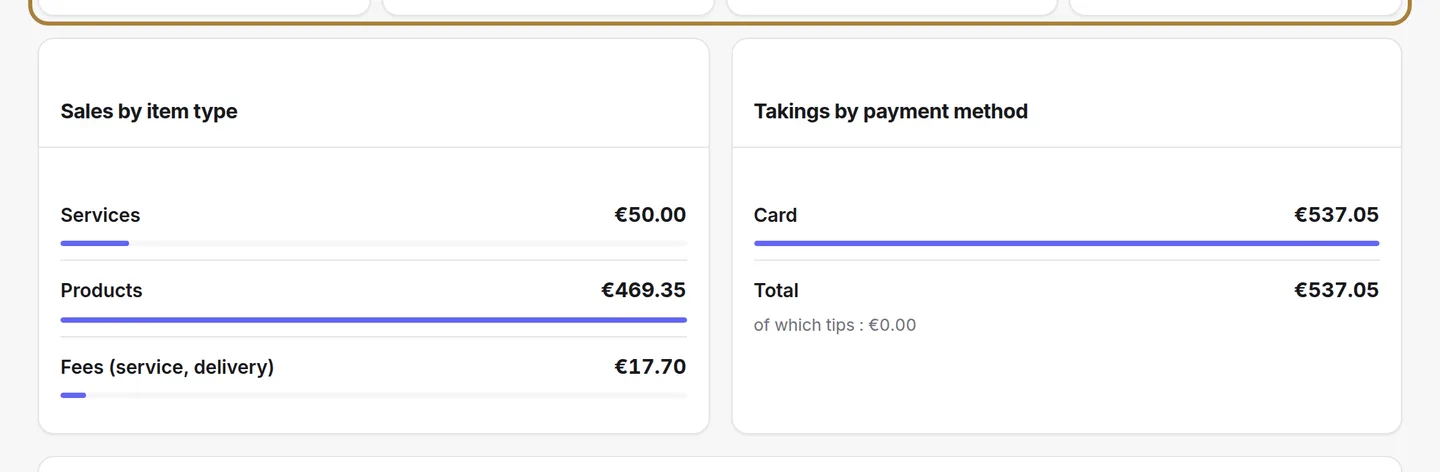
Cash taken including tax, number of receipts, number of credit notes and tips. This is the summary to compare with what's actually in the drawer before closing.
Sold on one side, taken on the other
On the left, what was sold today; on the right, what's landed in the drawer today. The two deliberately differ: an unpaid sale from Tuesday settled on Thursday counts in Tuesday's figure and in Thursday's cash flow.
Closing the day
Closing locks the day: totals, VAT by rate, payment methods and the perpetual grand total are archived and chained to the previous one. It's never redone — that's what makes your figures binding in an audit.
Count the drawer
When you close the day, the window asks for two amounts: the opening float left in the drawer in the morning (carried over from the previous day, editable) and the cash you count. The software works out the cash expected — the float plus the cash taken during the day — and shows the difference live: balanced, short or over. Add a reason if needed. The difference is locked into the closing and chained with it: you find it again under “Closings”, and the monthly closing adds up the daily differences.
Frequently asked questions
I forgot to close yesterday
The banner reminds you. Open yesterday with the arrows and close it: each day is closed separately, in order.
The drawer doesn't match the figure
Check cash sales and tips in the "taken" column. A discrepancy is noted in the closing; it never changes the receipts.
Go further
Basket, tip, payment: a sale in three steps. Until you've taken payment, nothing is issued; after that, the receipt is final.
Till and paymentsClosings: days, months, and the chain of ZsOne or more till "Z" readings a day depending on your sessions, closings that chain themselves on their own, month after year, and the perpetual grand total.
Till and paymentsThe sales journal: receipts, drafts, unpaid, credit notesFinding a receipt by number, name or amount; reprinting a duplicate; following up an unpaid one; issuing a credit note; reading the fingerprint that stands as proof.
Need a hand?
Write to us from your studio, under “Help & support”: we answer quickly, with real people.