Preparing a tax audit
Building, for a chosen period, the full file to hand over to an inspector: sales, closings, integrity, and what your country requires on top.
In this article
An inspector who shows up doesn't settle for an archive: this page builds, for the period they ask for, a full file — adapted to your country.
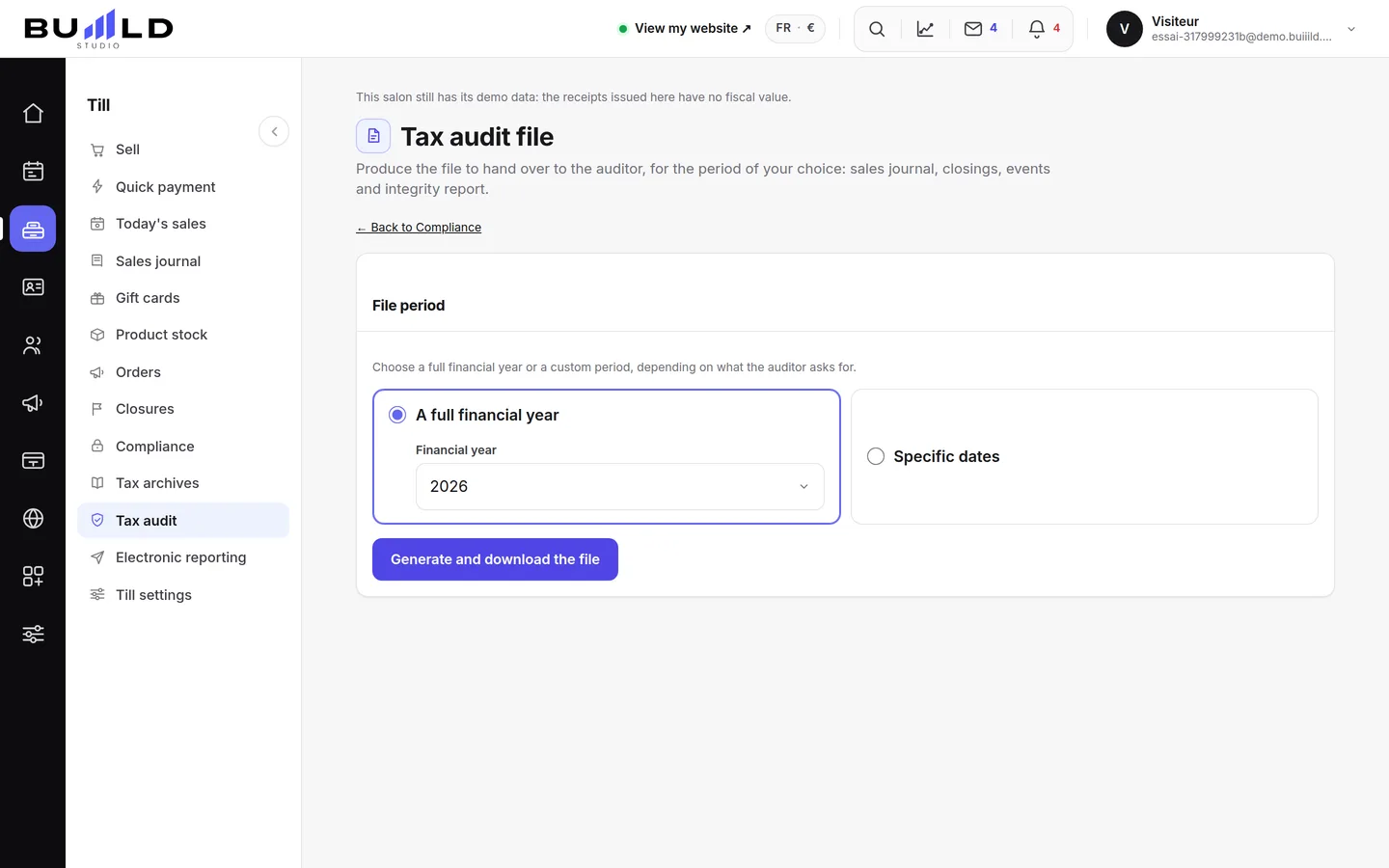
Choosing the period

A full calendar year if your fiscal years are known, or two precise dates otherwise — whichever the inspector asked you for.
What the file contains
Your sales, your till events, your closings, the full integrity report, the perpetual grand total, and the canonical archive of the period with its fingerprint. Your demo pieces are excluded from it: they never had any fiscal value.
Generating the file
The file downloads right away, in a ZIP ready to hand over. A note inside reminds you, in your language, whether your country requires a device that Buiiild doesn't replace — a certified till in Germany, Italy, Poland, or software certified by your tax authority elsewhere.
Frequently asked questions
What exactly does the downloaded file contain?
A ZIP with your sales, your closings, your events, the integrity report, the perpetual grand total, the canonical archive of the period, and an explanatory note in your language.
Does the file replace a till certified locally?
Not everywhere. The note included in the file says whether your country requires an extra device — it's written in black and white, country by country.
Do demo sales show up in the file?
No, they're excluded from it: only your real sales count for an audit.
What's the difference with the automatic monthly archive?
The archive covers a month, produced on its own. This file is built for the exact period an inspector asks for, plus the FEC file or your country's equivalent. See Tax archives.
Go further
Unalterability, security, retention, archiving: what the till guarantees, the extended integrity check you can rerun, the archive of a period, the FEC file and the certificate to print.
Till and paymentsMonthly tax archivesEvery finished month produces its own archive on its own: sales, closings and events for the period, with a fingerprint you can check in one click.
Till and paymentsClosings: days, months, and the chain of ZsOne or more till "Z" readings a day depending on your sessions, closings that chain themselves on their own, month after year, and the perpetual grand total.
Need a hand?
Write to us from your studio, under “Help & support”: we answer quickly, with real people.