"Automatic SMS: reminders, confirmations, thank-yous"
The messages that go out on their own around an appointment. A switch per message, the cost in credits, the text to rewrite in your own words.
In this article
The messages that go out on their own around an appointment: request received, confirmation, reminder, change, cancellation. SMS is read within minutes — that's what cuts down on no-shows.
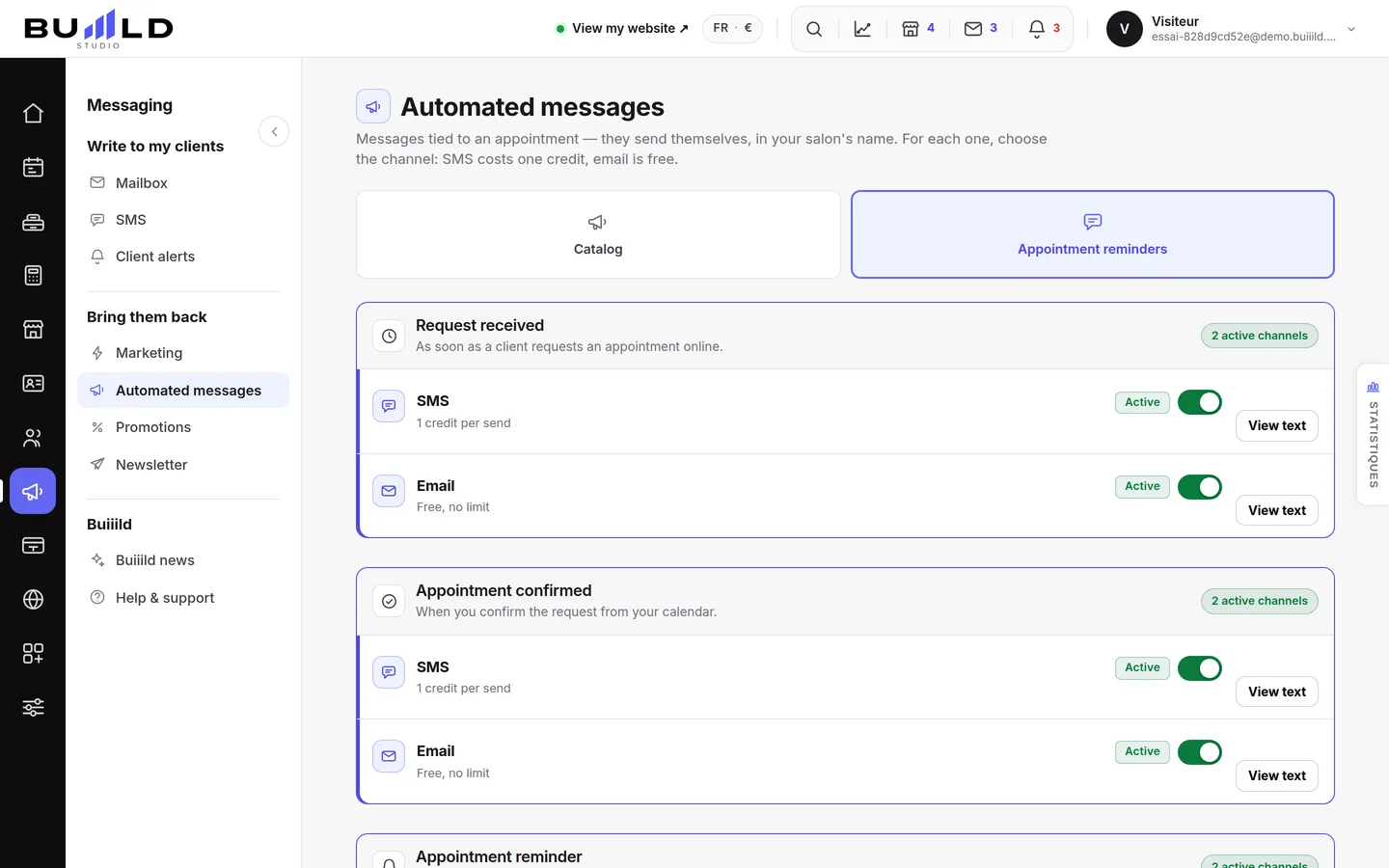
They're already going out
Nothing to turn on: as soon as a client leaves a mobile number, they receive these messages in your salon's name. Every send is deducted from your credits.
Three tabs, one subject

Catalogue, SMS reminders, Email reminders: everything that goes out on its own is set here. The same message often exists on both channels — you choose which one goes out. Buying credits, meanwhile, lives in SMS credits.
Turning off what you don't need
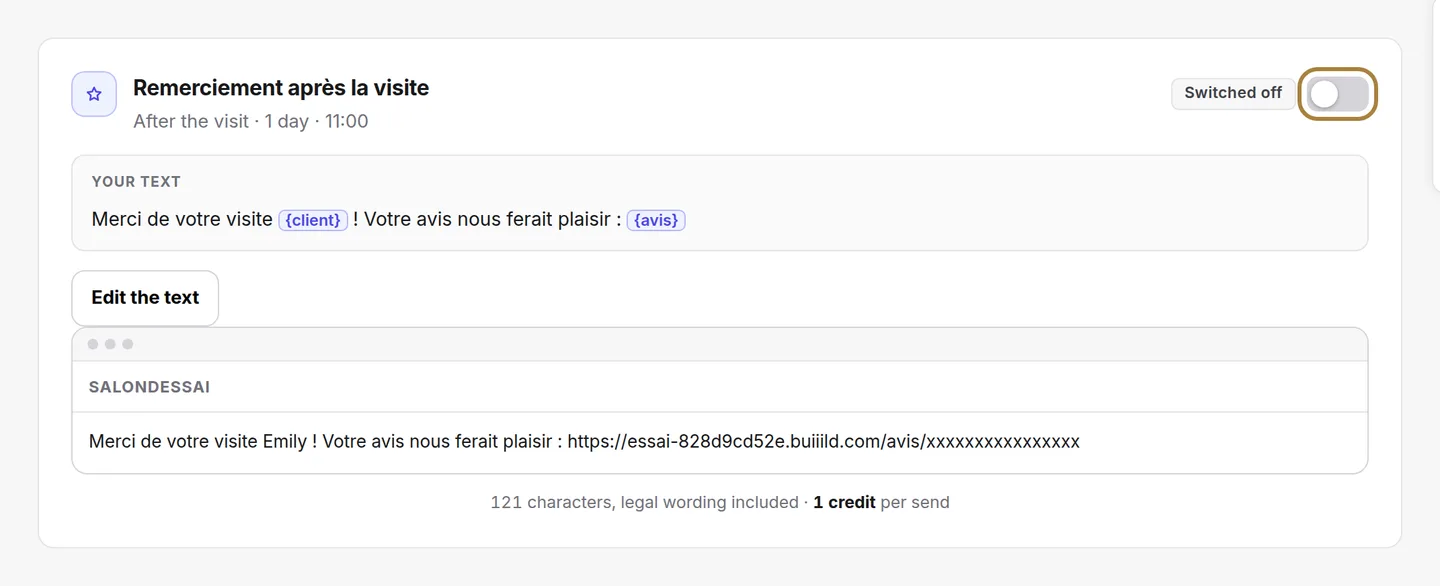
Each message has its own switch. A message turned off no longer goes out and no longer costs anything — keep the reminder, turn off the rest if you want to save.
What this message costs

The real count, legal notice included: past 160 characters, two credits are deducted instead of one. Line breaks count double, and an emoji drops the limit to 70 characters — the card warns you right there.
Rewriting the text

You can rewrite everything in your own words, insert the client's first name or the date by clicking a variable, and go back to the original text in one click if you change your mind.
Your other messages
Alongside appointment messages, your studio provides others: the post-visit thank-you — this is the one carrying the link to your review page — and birthday wishes. They're set up exactly the same way: a switch, and a text you can rewrite. On SMS, they arrive turned off: it's up to you to decide, every send costs a credit.
Frequently asked questions
Do I need to turn these messages on for them to go out?
No, they're already going out on their own as soon as a client leaves a mobile number. You can only turn some of them off.
The same message exists in SMS and email, which should I choose?
Both often exist for the same message: you decide which of the two channels goes out, or turn off the one you don't want.
Does a turned-off message still cost a credit?
No, a turned-off message no longer goes out and no longer costs anything.
Can I go back if I don't like my rewrite any more?
Yes, one click is enough to go back to the original text.
Go further
SMS aren't included in the subscription: you top up an amount in your salon's currency, no commitment; the credit never expires and only decreases when a message is actually sent.
Messaging and SMSSending an SMS to a client or a listAn offer, a freed-up slot, a word to one specific person: you write it, the message goes out in the salon's name. Recipients, preview, cost, confirmation.
Messaging and SMSAutomatic emailsRequest received, appointment confirmed, reminder the day before: these emails go out on their own and cost nothing. A switch per message, a preview, a text to rewrite.
Need a hand?
Write to us from your studio, under “Help & support”: we answer quickly, with real people.