Setting up the shop: pickup, delivery, messages, closing
In-salon pickup and its instructions, postal delivery and its flat rate, carriers and zones, client messages at every step, the welcome message, and closing the shop without losing anything.
In this article
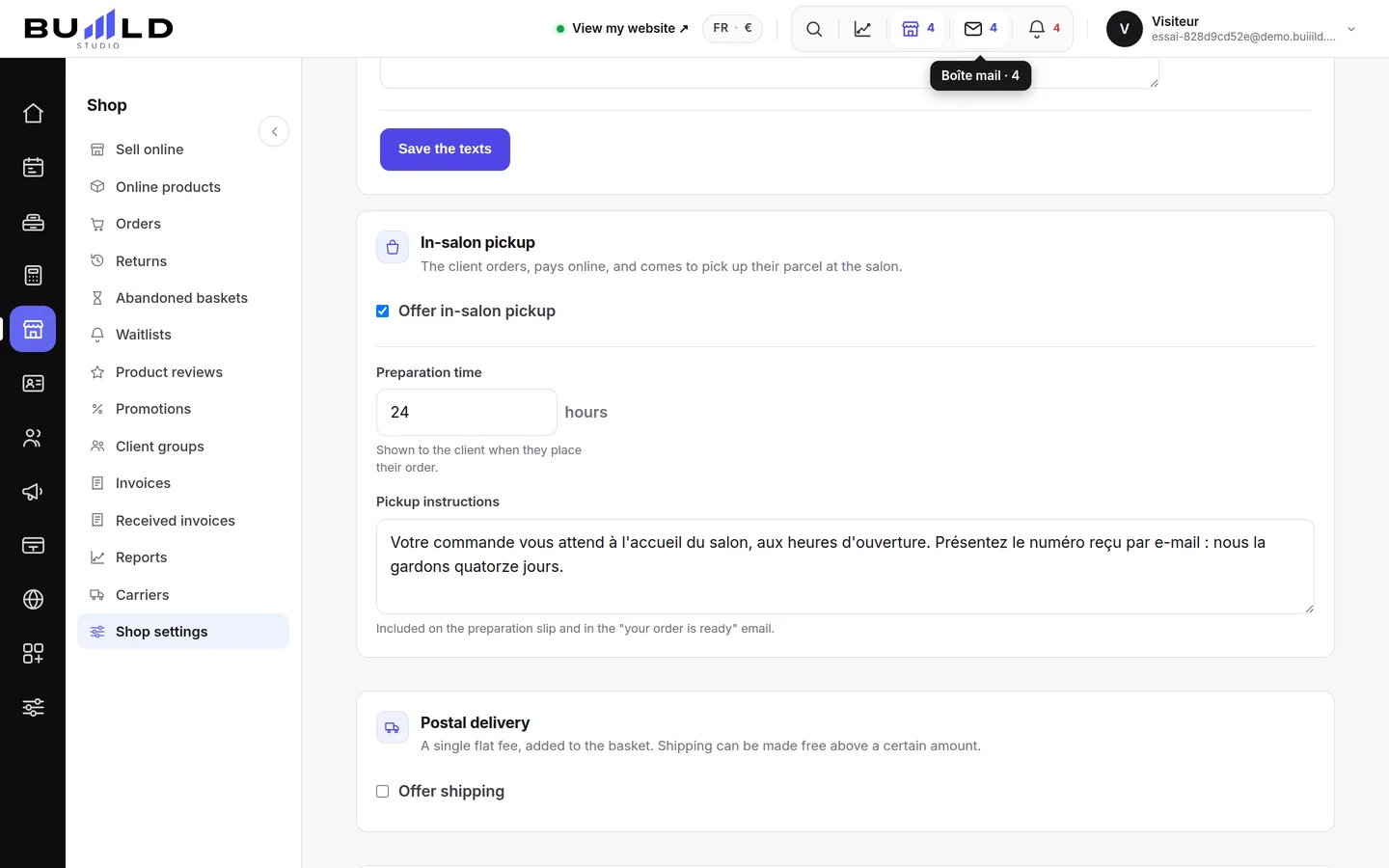
Pickup at the salon

The client orders online and comes to collect their bag. Announce the preparation time and the instructions they'll read: floor, doorbell, opening times. It's the shop's default mode.
Postal delivery

A flat rate added to the total, and the amount above which you offer it for free. Left off, your shop only offers pickup.
Carriers, zones and pricing grid

The Carriers screen goes further than the flat rate: your carriers, your delivery zones and your pricing grid by weight or amount bracket. An import lets you paste in your carrier's grid. Weight and dimensions are declared on each product's page.
Notifying the client

At every step — order received, order ready, reminder — choose email, SMS, or both. The preview shows exactly what the client will receive.
The shop's welcome message
The sentence shown at the top of your shop, and just above it, your terms of sale.
Closing the shop

Holidays, restocking: the shop disappears from your site. Your products, orders and settings stay intact, and you reopen with one button.
Frequently asked questions
Can I offer pickup only, with no postal delivery?
Yes, it's even the default setting: left off, postal delivery doesn't appear and your shop only offers pickup at the salon.
Where do I declare a product's weight and dimensions for shipping?
On each product's page, not here. These settings set the flat rate and the zones; the weight is then used to calculate the exact price.
What happens to my products if I close the shop?
Nothing is lost. Your products, orders and settings stay intact; you reopen with one button when you're ready.
Can I see in advance the message the client will receive?
Yes, the preview shown at every step shows exactly what they'll receive, by email as well as by SMS.
Go further
The shop adds an aisle to your site: your clients order and pick up their bag at the salon, or have it delivered. Turning it on, and reading its dashboard.
Online shopPreparing and handing over an orderThe queue sorted by what's left to do, the order step by step — prepare, ready, handed over or shipped with tracking —, the picking slip, taking payment, the refund, the internal note.
Online bookingTaking a deposit online: connecting Stripe, PayPal or VivaThe money goes to your bank account, not Buiiild's. Choosing the provider, setting up the application, understanding where the money goes.
Need a hand?
Write to us from your studio, under “Help & support”: we answer quickly, with real people.