Opening your online shop
The shop adds an aisle to your site: your clients order and pick up their bag at the salon, or have it delivered. Turning it on, and reading its dashboard.
In this article
The shop adds an aisle to your site: your clients order shampoos, waxes and gift sets whenever they think of it, and pick them up at their next appointment — or have them delivered, if you turn that on.
- Your stock products become online pages — photo, description, price. One item, one stock, shared with the till.
- Variants are handled: colour, size, capacity, each with its own stock and price.
- The client pays online into your account, then collects their order at the salon.
Turn on the shop
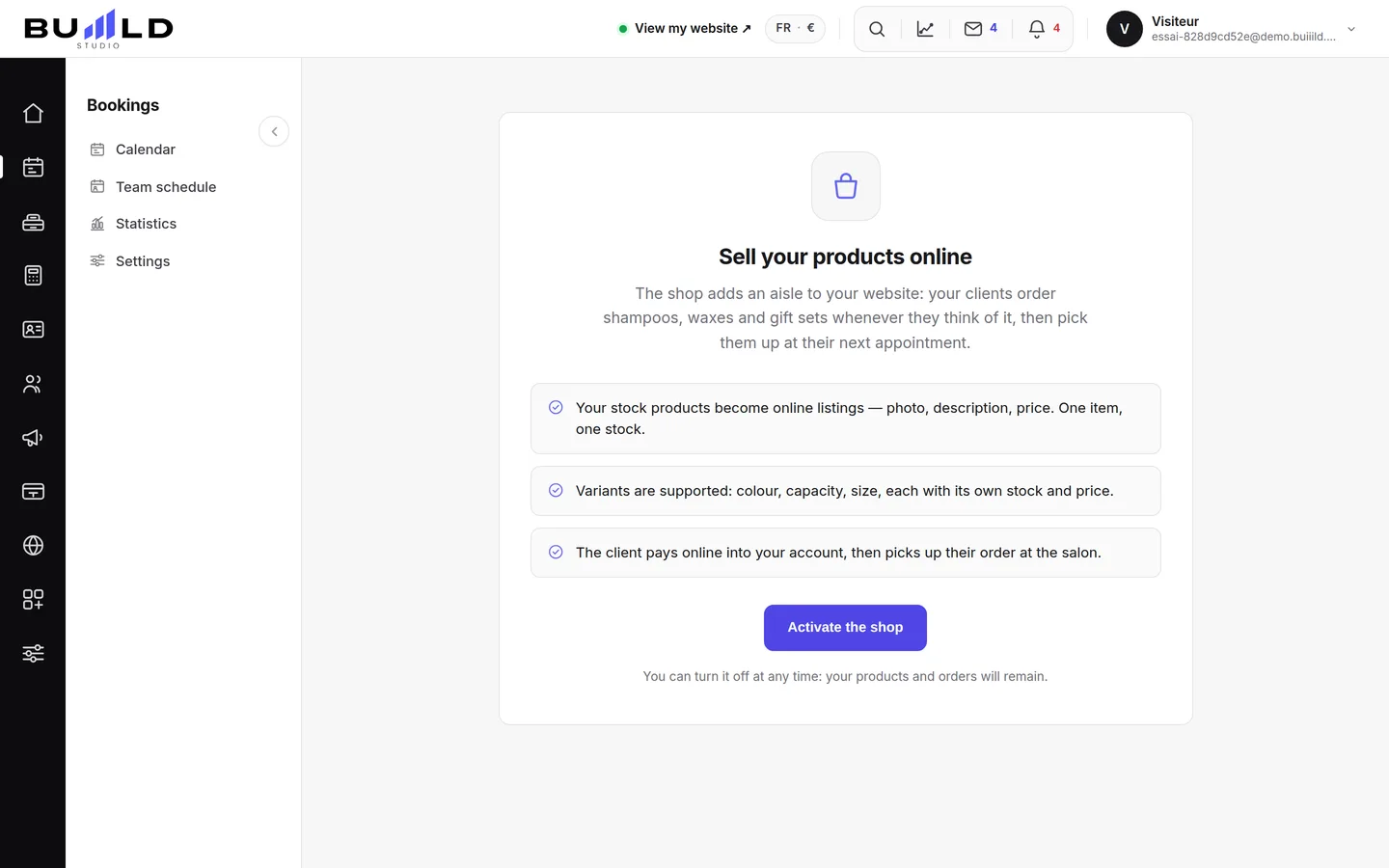
The shop is off by default. Open Modules, or the Shop screen in the menu, and click Activate the shop: the "Shop" family appears in the left-hand menu. You can turn it off at any time from its settings: your products and orders will stay put.
Before you sell, you also need a connected payment account and at least one product visible online.
The dashboard

What the shop has brought in, what's selling, what's missing from the shelf and what's waiting for you. You look here, you fix things on the other screens.
What's waiting for action

Orders to prepare, those that have been ready for too long, and reviews to moderate. Click a counter: you land straight on the matching list.
Choosing the period
Seven, thirty or ninety days: the whole screen recalculates, and the comparison is always against the previous period of the same length.
Your four figures

Revenue, paid orders, average basket and items sold, each compared with the period before. Just below, the graph shows the day-by-day detail.
What's selling, what's sitting still

On the left, your best sellers; on the right, the products no one buys: enough to decide what to feature and what to mark down. A click opens the product page.
Where your clients stop
The conversion rate and the funnel: from aisle to sale, you see exactly which step your visitors stop at. Counting is anonymous — no IP address, no cookie.
Frequently asked questions
What happens if I turn off the shop?
Nothing is lost: your products, orders and settings stay intact. The shop simply disappears from your site, and you reopen it with one button.
What do I need before I can start selling?
A connected payment account and at least one product made visible online. Without that, the shop shows but nothing can be bought.
Does the conversion rate count identify my visitors?
No, it's anonymous: no IP address, no cookie. You see which step people stop at, never who they are.
Does a product have a different stock between the till and the shop?
No, it's the same item and the same stock, shared between the two. A sale at the till or online brings down the same number.
Go further
Your whole aisle, a product page (identity, price and margin, what the client sees, information, variants, stock), creation in a single screen, and importing a Shopify or PrestaShop catalogue.
Online shopPreparing and handing over an orderThe queue sorted by what's left to do, the order step by step — prepare, ready, handed over or shipped with tracking —, the picking slip, taking payment, the refund, the internal note.
Online shopSetting up the shop: pickup, delivery, messages, closingIn-salon pickup and its instructions, postal delivery and its flat rate, carriers and zones, client messages at every step, the welcome message, and closing the shop without losing anything.
Need a hand?
Write to us from your studio, under “Help & support”: we answer quickly, with real people.