The history of sent SMS
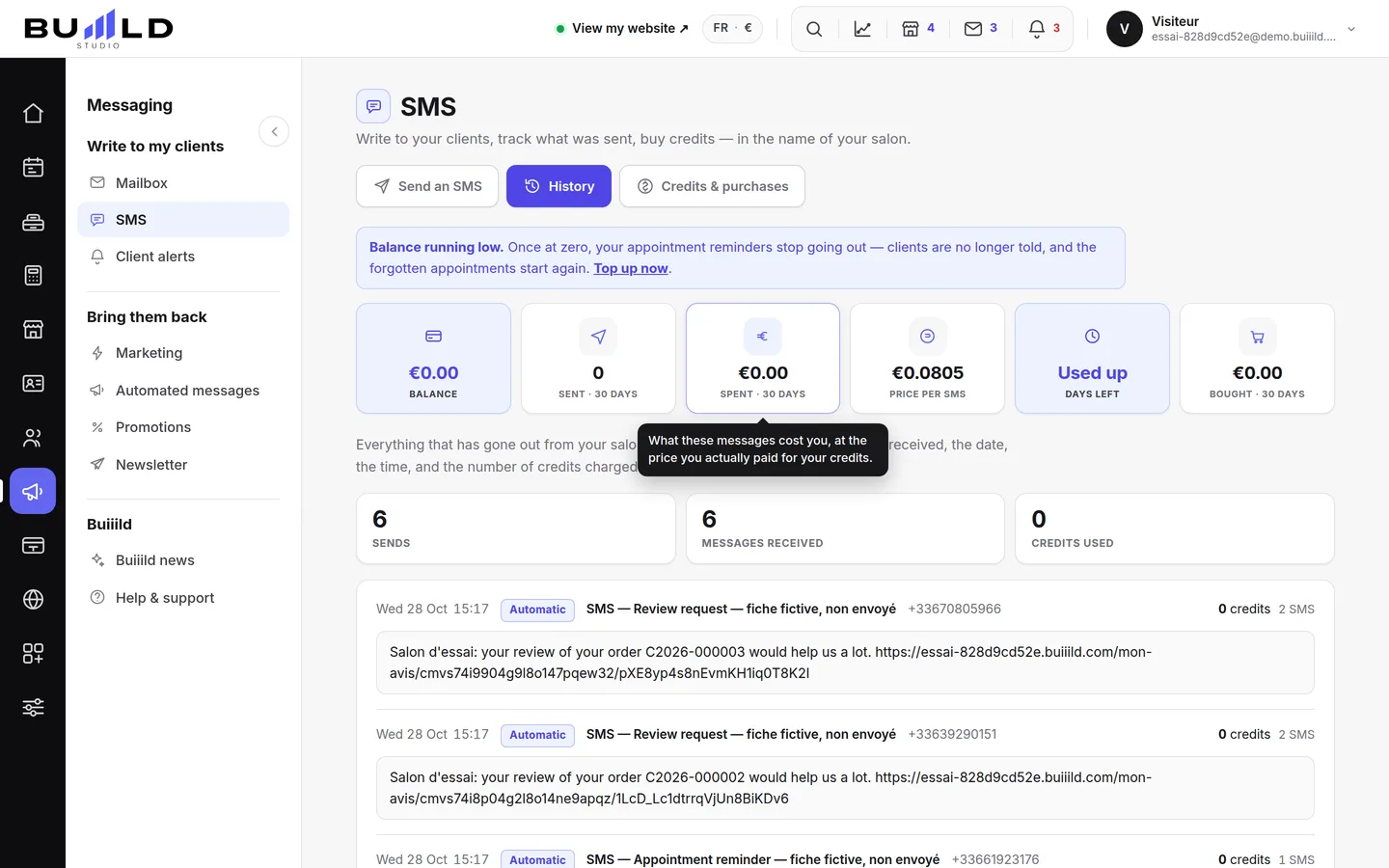
Everything that's gone out from the salon, from most recent to oldest: the exact text each client received, the date, the number of credits billed.
In this article
Everything that's gone out from your salon, from most recent to oldest: automatic reminders as well as messages written by hand.
The totals

The number of sends, the number of messages actually received (a group send goes out to several people), and the total credits used since the start.
Each send in detail

The date, the time, the message type, the recipient, and above all the exact text your client received. If one of them disputes a message, you have the proof. On the right, the number of credits billed for this send: past 160 characters, "STOP" notice included, a message counts as two — it's written here, send by send.
Frequently asked questions
A client says they never received this SMS, how do I check?
Open the line for their send: you'll find the exact text sent to them, with the date and time. That's your proof.
Why does the number of messages exceed the number of sends?
A group send counts as a single send in your totals, but sends one message per recipient.
How do I find out how many credits a specific send cost?
The number of credits billed is shown on the right of each line.
Does this history bring together automatic reminders and my hand-written messages?
Yes, both appear together, from most recent to oldest.
Go further
The messages that go out on their own around an appointment. A switch per message, the cost in credits, the text to rewrite in your own words.
Messaging and SMS"SMS credits: balance, days left, top-up"SMS aren't included in the subscription: you top up an amount in your salon's currency, no commitment; the credit never expires and only decreases when a message is actually sent.
Messaging and SMSSending an SMS to a client or a listAn offer, a freed-up slot, a word to one specific person: you write it, the message goes out in the salon's name. Recipients, preview, cost, confirmation.
Need a hand?
Write to us from your studio, under “Help & support”: we answer quickly, with real people.