The Barber template's sections
Highlights, mission, barber services, what sets us apart, salon video, additional services, brand strip: the sections specific to the barber template, and how to fill them in.
In this article
The barber template has its own sections, absent from the hair salon template. They all follow the same mechanics as the other "My site" screens: switch, live preview, texts, content, Save.
About (all templates)

The place where you tell your salon's story: the photo, the texts and, depending on the layout, animated figures — handwritten word, number, label. Drag a line to reorder, the bin to remove one, + Add a figure to add more. A great photo of the salon beats a long speech.
The brand strip (all templates)
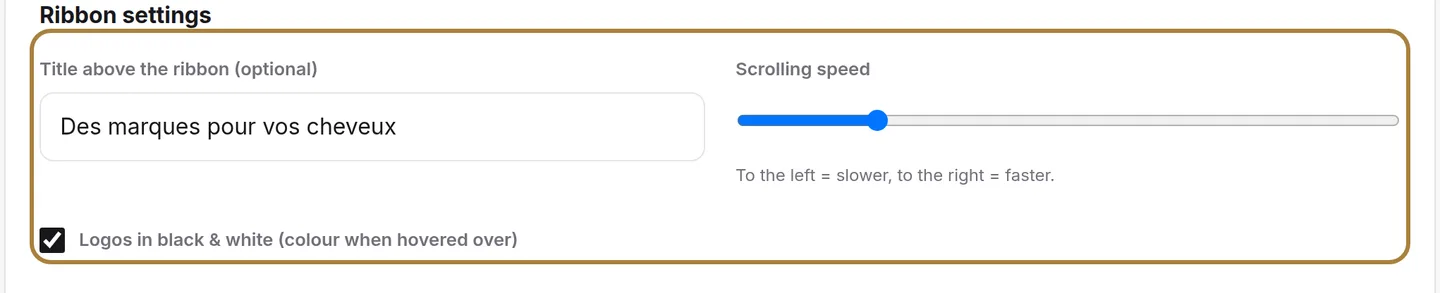
The ribbon that scrolls under your hours: the brands you work with. An optional title, the scroll speed, and black & white (logos regain their colours on hover). One card per brand, logo or text: with no logo file, just write the name and choose a font that evokes the brand.
The barber's sections
| Section | What it shows |
|---|---|
| Highlights | The strip of strengths under "About": an icon, a title, a short description — three or four selling points. |
| Mission | The dark "We elevate people…" section: photo, eyebrow, title, paragraph, then the signature, the founder's name and role. |
| Barber services | The "What we offer" strip: your services as photo cards, with no price — prices have their own page. |
| What sets us apart | The dark section where cards flip on mouse hover: what your salon does better than others. |
| Salon video | The section with a fixed background, the animated title and the play button in the centre: the title, the background image, then the video launched on click. |
| Additional services | The "We also offer" grid: an icon (ours, or your own image), a title, a short description. |
In each section, the bin asks for confirmation and Save publishes it all.
Frequently asked questions
Do these sections also exist for a classic hair salon?
No. They're specific to the barber template; the hair salon template doesn't offer them, and conversely doesn't have the gallery, the portfolio or the before/after.
Do barber services show a price?
No, they show with no price: prices live on their own page, in Services and prices.
How do I add an animated figure in About?
Click + Add a figure: handwritten word, number and label are added alongside the figures already in place.
I don't have a brand's logo file for the strip, what do I do?
Just write its name as text and choose a font that evokes the brand.
Go further
Your homepage is made of stacked sections. Choose which ones show and in what order — your site's remote control — and the mechanics common to every "My site" screen.
My websiteThe homepage slideshowThe big scrolling banner at the top of your site. Two slideshows — computer and phone —, photo or video visuals, three lines of text per visual, the order by drag.
My websiteGallery, portfolio and before/afterThe photos and videos that show the atmosphere, your work in a mosaic with category filters, and your transformations with a before/after slider.
Need a hand?
Write to us from your studio, under “Help & support”: we answer quickly, with real people.