FAQ, newsletter banner and Contact section
The questions you're asked non-stop on the phone, the newsletter sign-up banner, and the texts of the "Contact us" section.
In this article
The FAQ

The questions you're asked non-stop on the phone, and your answers — right on your site. That's fewer calls to take. A question, its answer: edit, add to it, create as many as you need. The bin removes a question (with confirmation), then Save publishes it all.
The newsletter banner
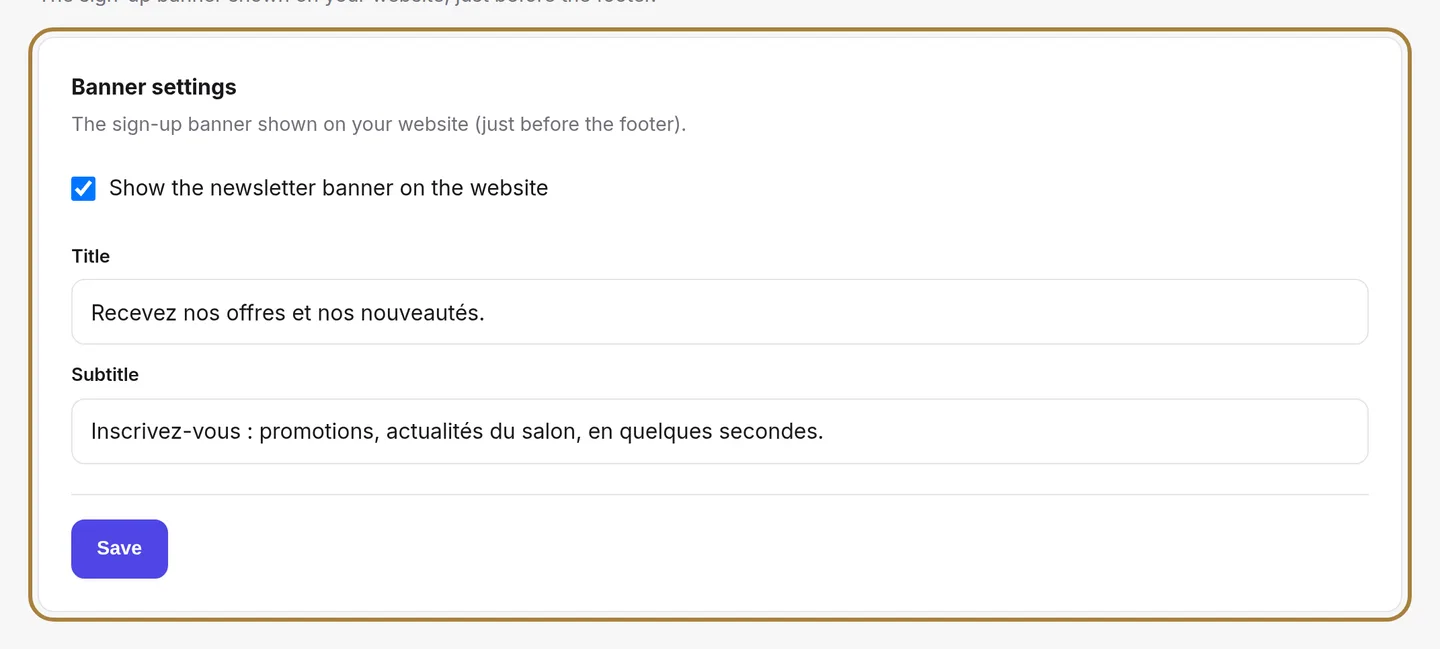
The sign-up banner shown on your site, just before the footer. The checkbox shows or removes the banner; the title and subtitle are the two sentences that make people want to sign up. Subscribers themselves end up in Newsletter subscribers.
The Contact section

The eyebrow, title and subtitle shown above the "Contact us" section of your site. Your real contact details — address, phone, social networks, map — are set separately, in Contact details.
Frequently asked questions
How do I remove a question from my FAQ?
Click the bin next to the question — you're asked to confirm — then Save to publish the change.
Where do I enter my real contact details for the Contact section?
In Contact details: this screen only sets the text above the section, not the address or phone number.
Go further
Your homepage is made of stacked sections. Choose which ones show and in what order — your site's remote control — and the mechanics common to every "My site" screen.
Marketing and reviewsYour newsletter subscribersThe people signed up from your site's banner: finding a subscriber, active and unsubscribed, exporting the list, removing subscribers.
Salon settingsThe salon's contact detailsAddress, phone, email, social networks: everything that lets a client find and reach you. Used on the contact page, the footer, the map and the directory listing.
Need a hand?
Write to us from your studio, under “Help & support”: we answer quickly, with real people.