Logo and site appearance
Your site's visual identity: your logo — never mandatory — and your fonts, matched to your layout, with a live preview.
In this article
Your site's visual identity: your logo and your fonts.

The logo

Upload your logo: it replaces the typographic wordmark at the top of the site. With no logo, your name is displayed nicely — a logo is never mandatory.
The fonts
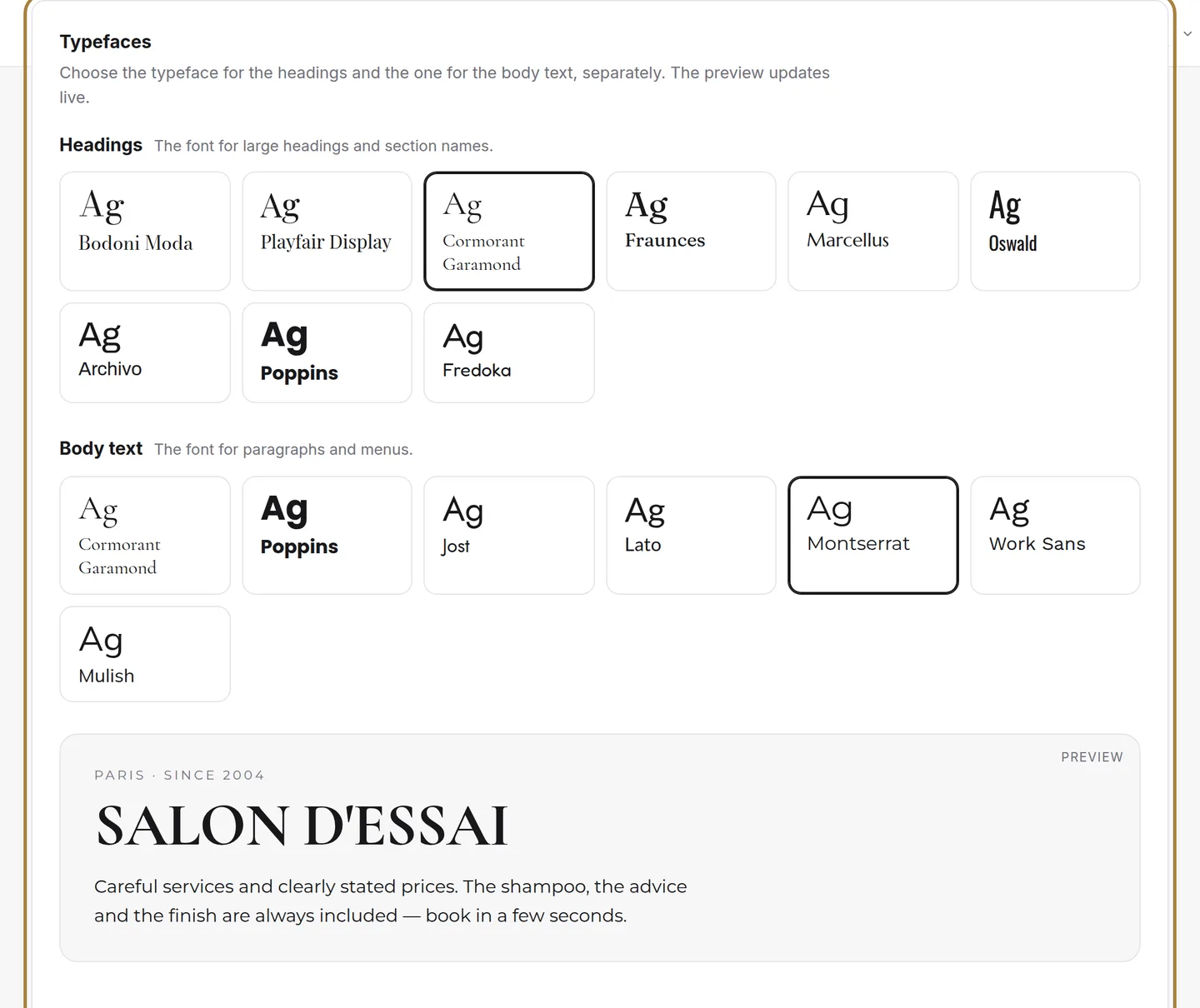
The font for titles and the one for body text. Each option is matched to your layout — the preview updates live.
Frequently asked questions
Is a logo required?
No, never. With no logo, your salon's name is displayed nicely at the top of the site, in the typographic wordmark.
Are the fonts on offer suited to my site?
Yes: each option is already matched to your layout, and the preview updates live so you can see the result before confirming.
What type of logo file should I choose?
A crisp file, on a transparent background, with no overly thin text: the logo also appears small, in the header on phones and in your emails.
Can I change my logo later?
Yes, at any time, by uploading a new file: it replaces the old one immediately.
Go further
Your homepage is made of stacked sections. Choose which ones show and in what order — your site's remote control — and the mechanics common to every "My site" screen.
My websiteThe homepage slideshowThe big scrolling banner at the top of your site. Two slideshows — computer and phone —, photo or video visuals, three lines of text per visual, the order by drag.
Salon settings"SEO: how Google presents your salon"The title and description that appear in search results, and the visibility report that says what your site is missing.
Need a hand?
Write to us from your studio, under “Help & support”: we answer quickly, with real people.